Key answer: OKX Fees vary by product, trading pair, account tier, and actual Maker/Taker execution. Check the applicable rate under My trading fees for your logged-in account and under Fees/Fee rules for the relevant trading pair. After execution, compare the amount and currency shown under Order history → Details → Fee. For spot trades, fees may be deducted from the asset received; for futures, they are calculated based on the actual traded value, not the margin. OKDCC Rebates are subject to separate conditions from trading fees; check the signup page and My Rewards for your actual assigned rate, period, and eligible trades.
| Value to check | Where to check and what it means |
|---|---|
| Account fee tier and rates by product | After logging in, go to Assets → My trading fees |
| Rate for the trading pair you are about to trade | Web order panel: Fees / App trading screen: More → Fee rules |
| Actual cost of an order that has already been executed | Order history → Details → Fee: amount and currency for each execution |
| Referral rebate rate | App User Center → My Rewards: the official FAQ states a range of 0%–20%; your individual rate is the one shown on screen |
| Rebate record after trading | App Menu → Campaign center → My rewards: a separate process from checking your assigned rate |
| Date of this review | 2026-10-08 — Official materials on fee rules, rebates, and VIP status |
1. How do OKX fees differ from rebates?
OKX standard trading fees and referral rebates are separate concepts. Standard trading fees may vary according to the product, trading pair, Maker or Taker execution type, asset or trading-volume-based tier, and regional conditions. Referral rebates return a portion of eligible fees actually paid, at the rate assigned to your account.
For the full process, including signup, KYC, and security, see the OKX comprehensive guide. For code assignment and exceptions, also see the OKDCC referral verification guide.
- Standard fee rate: Check after logging in under Assets → My trading fees or on the official Fees page.
- Rebate rate: Check the signup page and OKX User Center → My Rewards in the app.
- Actual savings: Calculate as the actual fee paid × the rebate rate shown for your account.
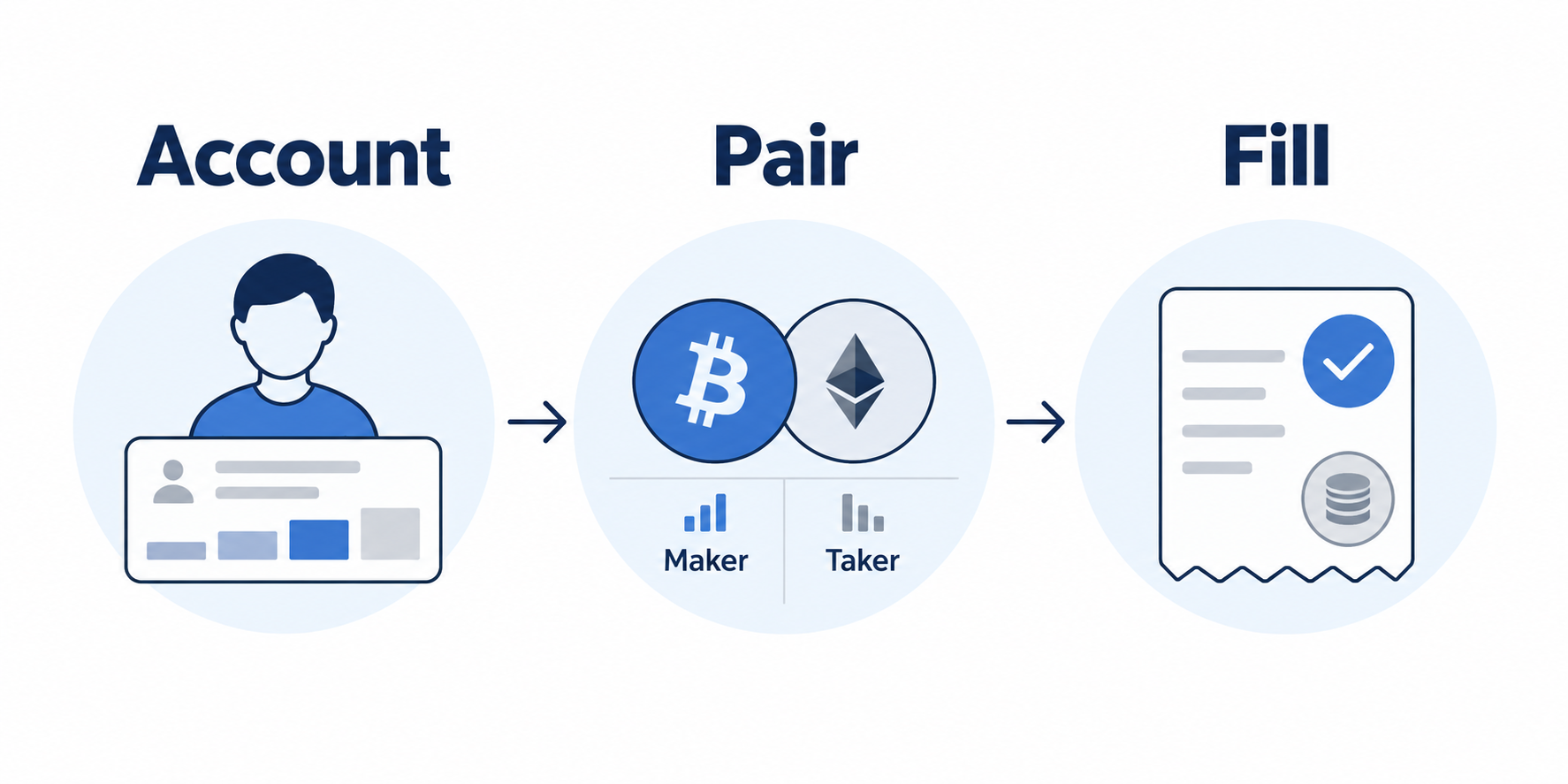
Comparing in the order of account → trading pair → execution records helps distinguish differences between the public fee schedule and your account, cases where a limit order executes as a Taker, and the costs of multiple partial fills. Rates shown while logged out are for reference; the estimated amount before placing an order may differ from the final charge because of the execution price, quantity, and type.
2. Maker and Taker fees and how they are calculated
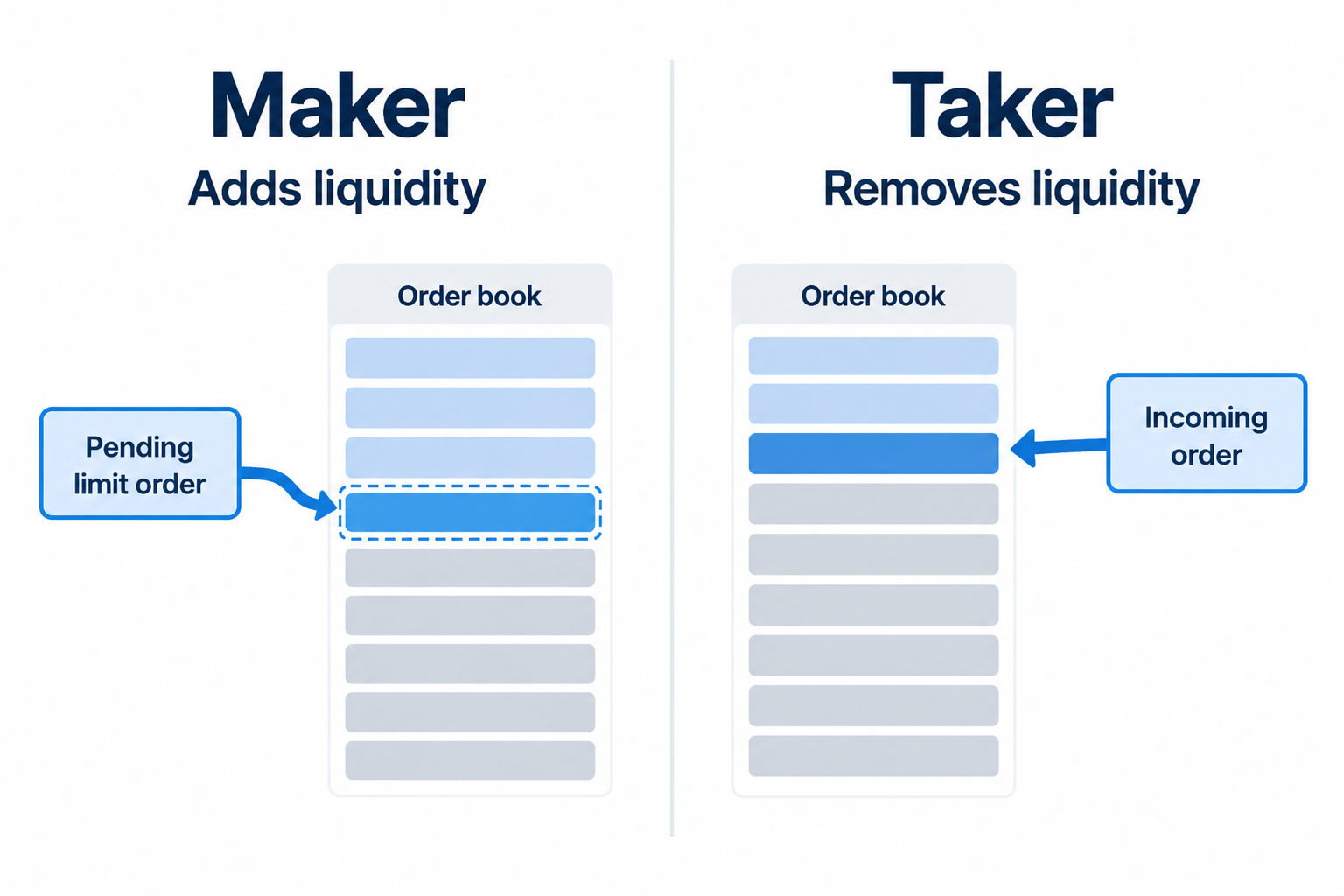
The difference between Maker and Taker
- Maker: An order that does not execute immediately and remains in the order book, providing liquidity. Even a limit order may be classified as Taker if it executes immediately.
- Taker: An order that executes immediately against existing orders and takes liquidity. Market orders are generally handled as Taker.
Trading fees can be calculated as follows. For the actual charging basis and decimal-place handling, refer first to the official screen for the relevant product.
Estimated trading fee = trade value × applicable fee rate shown for the logged-in account
Estimated rebate = actual fee paid × rebate rate shown in My Rewards
For example, if the actual fee paid on an eligible trade is 10 USDT and My Rewards shows 20%, the estimated rebate by simple calculation is 2 USDT. This is only a calculation example. Check your actual account records for eligible trades, limits, exclusions, and when the rebate is credited.
AKEYX calculation example: If the actual execution value of a USDT-settled trade is 1,000 USDT and your applicable fee rate is assumed to be 0.1%, the fee is 1 USDT. If the entire fee is eligible for a rebate and the rate assigned to your account is 20%, the estimated rebate is 0.2 USDT, and the net trading fee after the rebate is 0.8 USDT. The 0.1% rate does not represent the current official standard rate, and 20% is not guaranteed. Do not calculate derivatives fees based only on margin; check the actual traded value and contract units. For spot trades and other products, the fee may be charged in a different currency. Funding fees, spread, slippage, withdrawal costs, and profit or loss are not included in this example.
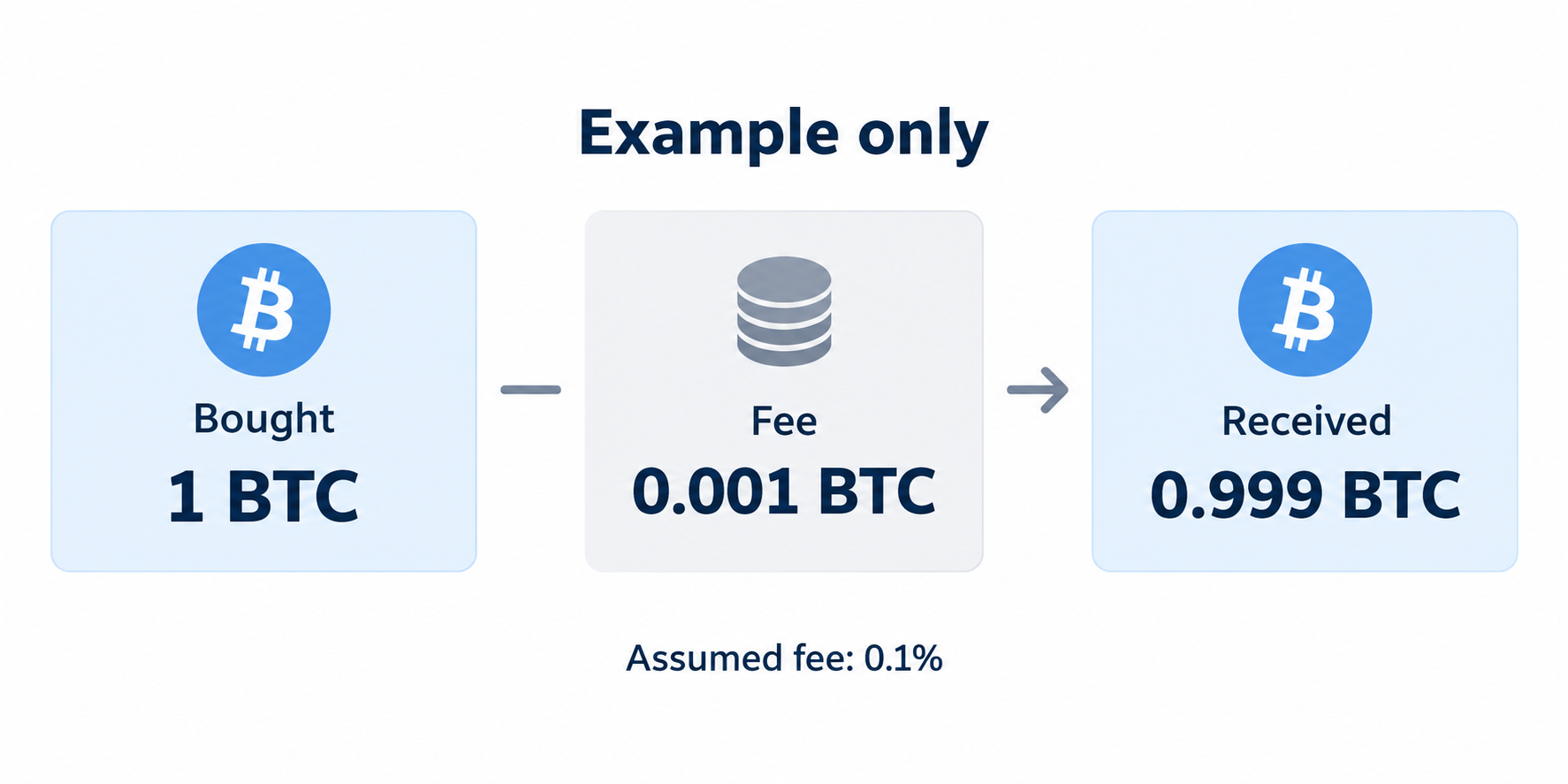
Spot purchase: Why the order quantity and the amount actually received differ
Assume that, when buying spot BTC/USDT, the fee is charged in the BTC received. 1 BTC × assumed rate of 0.1% (0.001) = 0.001 BTC, and the net amount received is 1 − 0.001 = 0.999 BTC. The 0.1% rate is an illustrative assumption, not the current standard rate for all accounts. On a sale, the fee may be charged from the proceeds received, so the charging currency is not necessarily the same for buys and sells. Check the Fee entry for each execution to confirm the exact currency and rounding.
USDT Futures: Calculated using traded value, not margin
For USDT-margined futures, the basis for calculating the trading fee is the traded value, calculated as number of contracts × contract multiplier × contract size × execution price. If the traded value is 20,000 USDT, the margin is 2,000 USDT, and the assumed Taker fee rate is 0.05% (0.0005), the fee for one execution is 20,000 × 0.0005 = 10 USDT. The result is not 1 USDT, which is obtained by multiplying only the 2,000 margin. The 0.05% is an assumed rate; coin-margined contracts use different formulas and charging currencies. Changing leverage alone does not multiply the trading fee if the traded value remains unchanged.
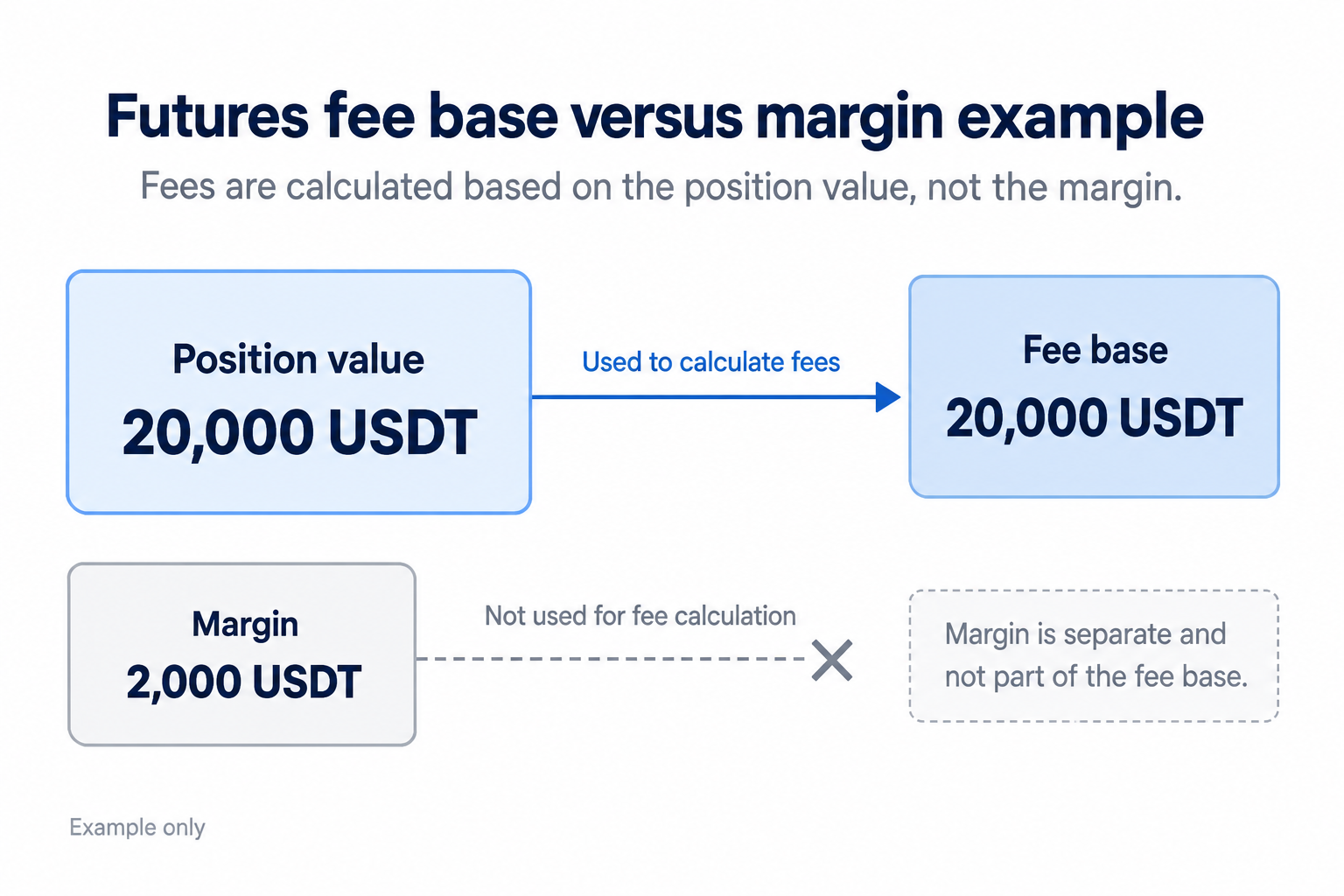
Opening and closing positions and partial fills: Fees are charged on actual executions when opening and closing a position. If an order is filled in multiple parts, check and add up the amount, rate, and currency for each execution, while keeping unfilled portions separate. Do not add fees in different currencies without a conversion basis. Check funding fees and liquidation costs separately; price losses are not fees.
Futures traders should also account for funding fees, leverage, and liquidation risk separately from trading fees. See the OKX futures trading guide for details on order mechanics.
3. Checking OKDCC rebate conditions and records
“Up to 20% discount” in search results refers to the maximum possible range. The OKX official Affiliate FAQ states that the rebate rate for invited users ranges from 0% to 20%, and explains that if the relevant module is not visible in My Rewards, no rebate rate has been assigned. If the displayed rate or records differ from what you expect, contact official support to check your account conditions, and do not increase your trading activity in anticipation of a rebate.
- Open the OKDCC signup page and confirm that the address uses the official okx.com domain.
- Before completing signup, check the referral code and the expected benefits displayed on the screen.
- After signing up, open User Center → My Rewards in the OKX app to check the rate actually assigned to you.
- After trading, check the rebate record and whether any trades were excluded under App menu → Campaign center → My rewards.
Important notice about duration: The duration, eligibility, and account conditions on the signup page should not be treated as mere decoration. AKEYX does not guarantee “a guaranteed 20% for life” unless this is confirmed on the official site or in the terms. The conditions displayed in your account are the final reference.
4. Costs Beyond Trading Fees and Checking Your Tier
4.1 Checking Referral Rebates
New users should verify that the code is linked and review the displayed benefits before completing signup. Once a signup channel has been selected, you may not be allowed to switch to another affiliate channel or delete and recreate your account to link a different one.
4.2 Checking Whether an Order Fills as Maker
OKX official guidance explains that Maker fees may generally be lower than Taker fees. However, a limit order that fills immediately may be treated as Taker, so do not determine the fee based solely on the order type.
4.3 Checking VIP Requirements and Your Actual Fee Tier
If you meet the asset balance or recent trading volume requirements, OKX VIP tier and preferential fees may apply. Criteria and rates may change, so rather than memorizing fixed figures, check your current tier under My trading fees in your logged-in account.
Correction regarding OKB: OKX’s official 2026 fee-reduction guidance explains that OKB cannot be used to offset exchange trading fees and that holding OKB does not affect fee discount tiers. Do not apply past materials or terms for other products directly to current trading fees.
4.4 Include Funding Fees and Withdrawal Costs
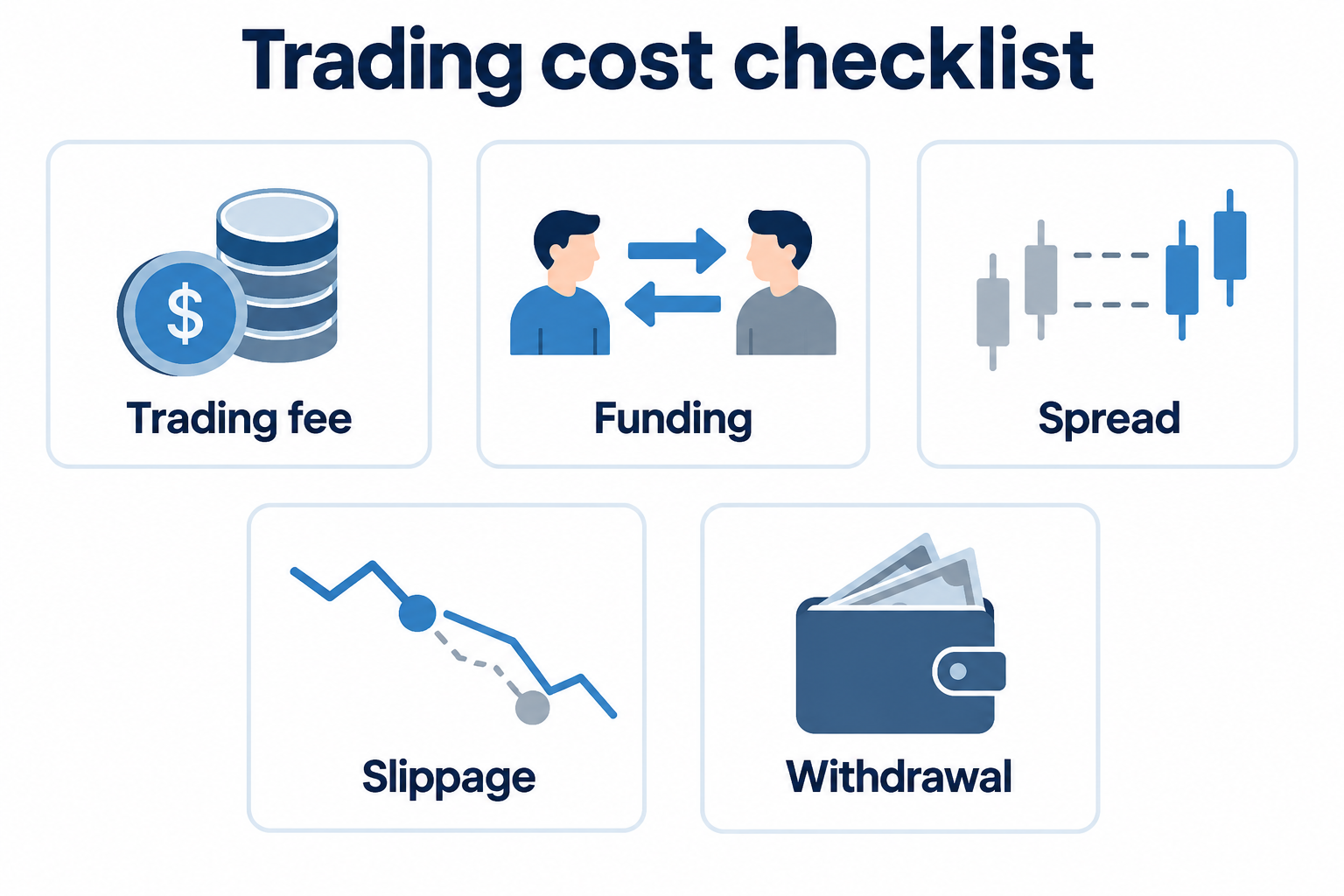
When holding a derivatives position, funding fees may apply in addition to trading fees. Funding intervals and rates may vary by product and market conditions, so check the relevant contract page before placing an order. Withdrawal costs may also vary depending on the asset, network, and congestion, so do not assume that a particular coin or fixed amount is always the cheapest.
5. Pre-Trade Cost Verification Checklist
- Did you verify that this is the official okx.com domain?
- Is the OKDCC code linked before signup is completed?
- Have you read the actual rebate rate and the duration and eligibility conditions displayed on the screen?
- After signup, have you checked your rebate rate and payout history in My Rewards?
- Have you checked the Maker and Taker rates for each product in My trading fees?
- Do you understand that fee reductions do not guarantee investment returns or protect your principal?
6. Frequently Asked Questions
Does entering OKDCC give everyone a 20% fee discount?
No. The range of rebates for invited users stated in OKX’s official FAQ is 0%–20%. Check the signup page and the value shown in My Rewards after signup for the rate that actually applies.
Does the OKX fee discount apply for life?
AKEYX does not guarantee lifetime application for all accounts. The duration, eligibility, region, and campaign conditions shown on the signup and account pages, together with the latest terms, are the final reference.
Does holding OKB increase your trading fee tier?
OKX’s latest official fee-reduction guidance explains that holding OKB does not affect exchange trading fee discount tiers. After logging in, check your current tier in My trading fees.
Does receiving a fee discount guarantee profits from trading?
No. A fee discount may lower some trading costs, but it does not eliminate the risks of price fluctuations, leverage, liquidation, funding fees, or market losses.
7. Official Sources and Final Verification
- OKX Affiliate FAQ — Rebate Range and Checking My Rewards (2026-09-15)
- OKX Fee Reduction Guidance — VIP, Maker, and OKB (2026-09-01)
- OKX Trading Fee Rules FAQ — Maker, Taker, and My trading fees (2026-09-09)
- OKX Affiliate Program Rules — Regions and Exclusions (2026-09-29)
AKEYX Final review: 2026-10-08. This time, we cross-checked trading fee rules, fee tiers, rebate verification procedures, and program conditions against official materials. OKX policies and account-specific conditions may change, so check the official pages again immediately before signing up or trading.
Conclusion: When checking OKX fees, first confirm the rate applicable to your account and the fill criteria for each product, then compare the amount and currency in the actual fill records. Rebates are subject to separate conditions and apply to eligible fees paid; neither a 20% rebate nor lifetime application is guaranteed. Total costs should separately account for any funding fees, spreads, slippage, and withdrawal costs incurred in the relevant trade.