
Affiliate disclosure: This article contains an OKX partner link. If you register or trade through it, the site operator may receive compensation. User benefits vary by account, region, VIP tier and campaign; check the sign-up page and My Rewards for the terms actually applied.
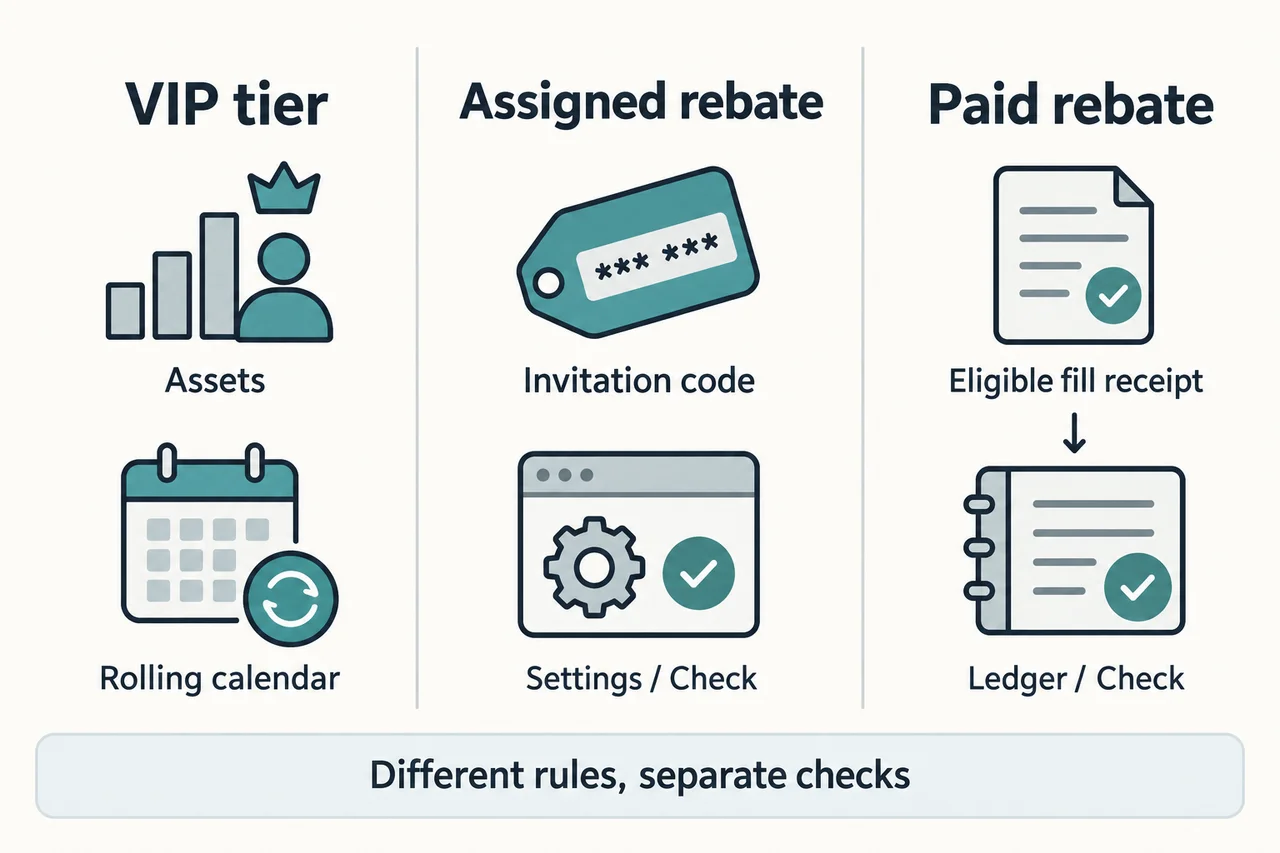
OKX VIP is a program that determines fee tiers based on account assets or trading volume over the past 30 days. Entering an invitation code OKDCC does not automatically make you a VIP, nor are VIP rates and affiliate rebates always applied together. After logging in, check your tier under Trading fee tier or My trading fees, and check the actual rate under Fees for the eligible product and trading pair.
This article explains VIP requirements and recalculation, how to check account-specific fees, and the costs of additional trades. The review date is 2026-10-24, which is distinct from the publication or revision date of the official documents. Public tables accessible without logging in are for reference only. Products and rates may vary depending on your place of residence, contracting entity, and account eligibility, and VIP status does not exempt you from regional restrictions or identity verification.
OKX VIP tier requirements: meet either the asset or trading volume threshold
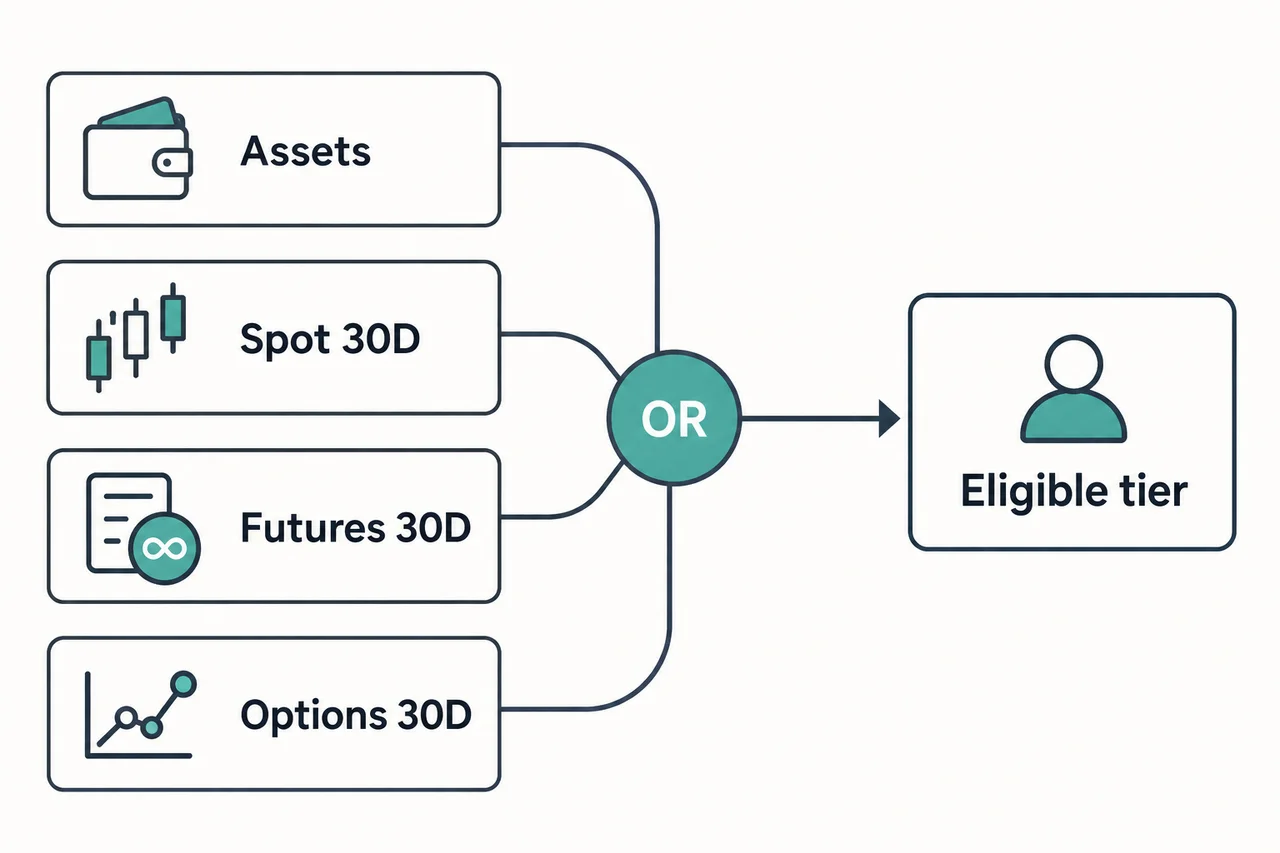
The official VIP guide distinguishes VIP 1–9 and explains that your tier is determined by whichever qualifying path you meet among the asset, spot, futures, and options requirements. If different paths qualify you for different tiers, check which higher tier is applicable. The figures below are reference thresholds from the official guide and current fee schedule viewed on October 24; they do not guarantee an upgrade for an individual account or eligibility to use a product.
Asset or spot trading volume over the past 30 days
| Tier | Asset requirement (USD) | 30-day spot trading volume (USD) |
|---|---|---|
| VIP 1 | 100,000 or more | 1,000,000 or more |
| VIP 2 | 200,000 or more | 5,000,000 or more |
| VIP 3 | 2,000,000 or more | 10,000,000 or more |
| VIP 4 | 5,000,000 or more | 20,000,000 or more |
| VIP 5 | 20,000,000 or more | 100,000,000 or more |
| VIP 6 | 50,000,000 or more | 200,000,000 or more |
| VIP 7 | 100,000,000 or more | 500,000,000 or more |
| VIP 8 | 250,000,000 or more | 1,000,000,000 or more |
| VIP 9 | 500,000,000 or more | 5,000,000,000 or more |
Futures or options trading volume over the past 30 days
| Tier | Futures trading volume (USD) | Options trading volume (USD) |
|---|---|---|
| VIP 1 | 5,000,000 or more | 3,000,000 or more |
| VIP 2 | 10,000,000 or more | 5,000,000 or more |
| VIP 3 | 50,000,000 or more | 10,000,000 or more |
| VIP 4 | 200,000,000 or more | 25,000,000 or more |
| VIP 5 | 600,000,000 or more | 50,000,000 or more |
| VIP 6 | 1,000,000,000 or more | 100,000,000 or more |
| VIP 7 | 1,500,000,000 or more | 1,500,000,000 or more |
| VIP 8 | 2,000,000,000 or more | 2,000,000,000 or more |
| VIP 9 | 20,000,000,000 or more | 20,000,000,000 or more |
For example, if your spot trading volume qualifies for VIP 1 and your assets qualify for VIP 2, you check the higher tier you qualify for rather than adding the two amounts together. The USD-converted value of assets varies with prices and exchange rates. Trading volume is not profit or deposits, and futures trading volume should not be calculated using the amount of margin.
Source: OKX VIP Eligibility Guide (officially revised 2026-10-15), current fee schedule. Tables in past change notices were not used as confirmed current rates.
Asset calculation and VIP tier recalculation timing
The official fee schedule explains that assets in trading, funding, and financial accounts are counted, while assets borrowed through margin or loans are excluded. Asset eligibility is determined using the higher of the daily snapshot and the 30-day average. Eligible assets and trading volume in the main and sub-accounts are combined, and the same fee tier is applied. Do not assume that the entire balance you hold will always be counted as-is; check the calculated amount shown in your account.
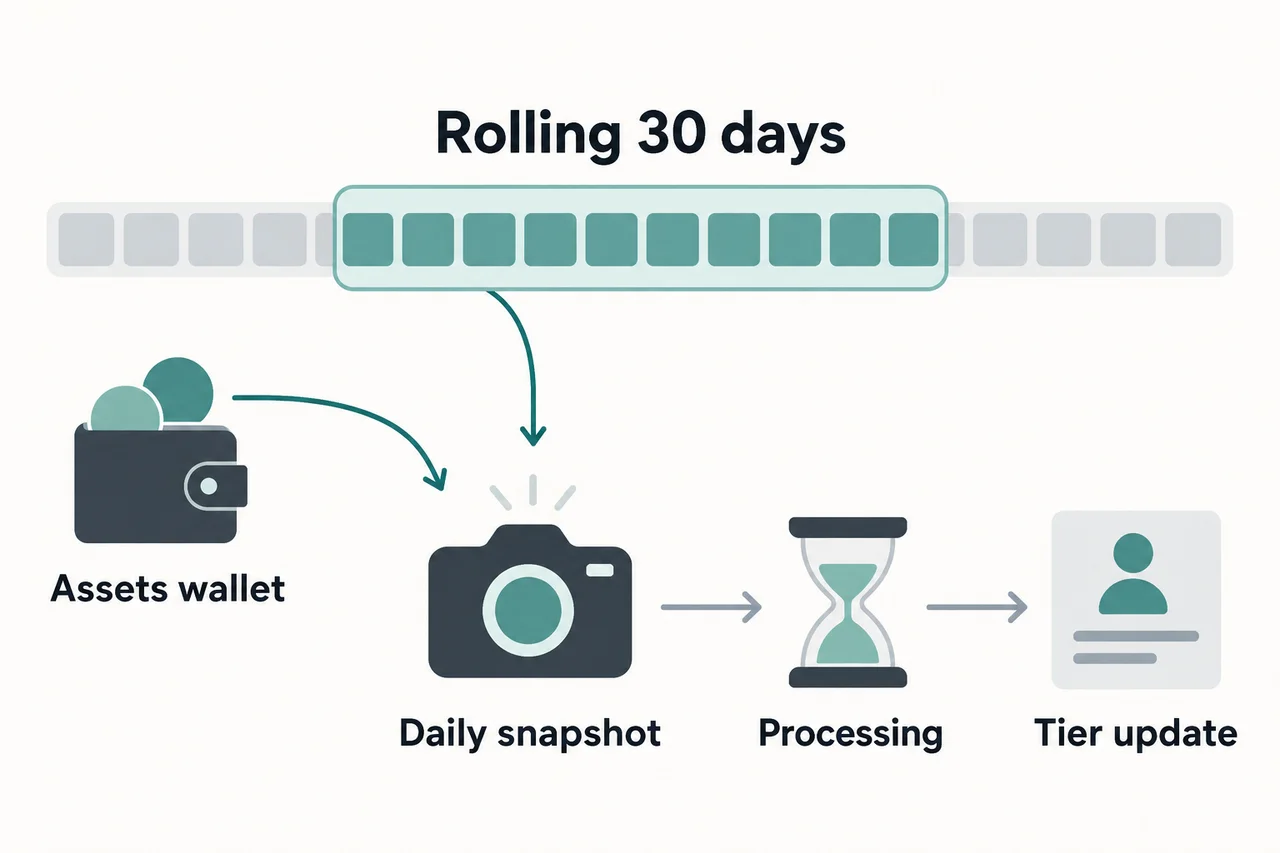
According to the official general guide, calculations are performed daily at 16:00 UTC, and tier updates take place from 20:00 to 22:00 UTC. In Korea Standard Time, these correspond to 01:00 and 05:00–07:00 the following day, respectively. These are the stated processing windows, not a promise of when an individual account will be updated. Your tier may be lowered if your valuation or trading volume over the rolling period decreases, and trial tiers have separate expiration dates.
If your trading volume is counted as lower than expected, first compare the 30-day statistics for each product under My fee tier. P2P and some designated stablecoin spot trading pairs may be excluded from eligible trading volume. Because asset and trading volume conversion methods and exclusion lists may change, check the current guidance in the fee schedule calculation details and the Trading Fee Rules FAQ.
Why VIP trading volume and actual fees use different calculation bases
USD trading volume used for VIP assessment is not the same figure as fill proceeds or the actual fee. The official calculation uses the quantity traded each day, that day’s asset closing price, and the USDT/USD closing price. A fill fee instead depends on that fill’s quantity, price, applicable rate, and charged currency. A difference between USDT proceeds in order history and USD volume under My fee tier does not, by itself, establish missing volume or an incorrect charge.
These are hypothetical inputs chosen by AKEYX: an eligible ETH/USDT spot sale of 2 ETH, a fill price of 2,950 USDT, an ETH closing price of 3,000 USDT, a USDT/USD closing price of 1.0002 USD, and an assumed 0.10% fee charged in USDT. They do not represent a particular VIP tier or a verified account rate.
| What is compared | Formula and result |
|---|---|
| Sale proceeds | 2 × 2,950 = 5,900 USDT |
| Daily volume for tier assessment | 2 × 3,000 × 1.0002 = 6,001.2 USD |
| Assumed fill fee | 5,900 × 0.001 = 5.9 USDT |
Do not multiply 6,001.2 USD by the fee rate to obtain the actual fill fee, or subtract USD and USDT as if they were the same unit. This comparison distinguishes the calculation bases; it does not guarantee an upgrade, savings, or trading results. Check volume exclusions, multiple fills, rounding, and account-specific figures separately. Spread, slippage, affiliate rebates, and other costs are excluded.
Sources and partial check date: 2026-11-05. The official fee schedule’s volume-conversion explanation was compared with the Fee FAQ’s volume-assessment guidance. This is not a test of an actual account or trade.
How to check your VIP tier and actual Maker·Taker rates
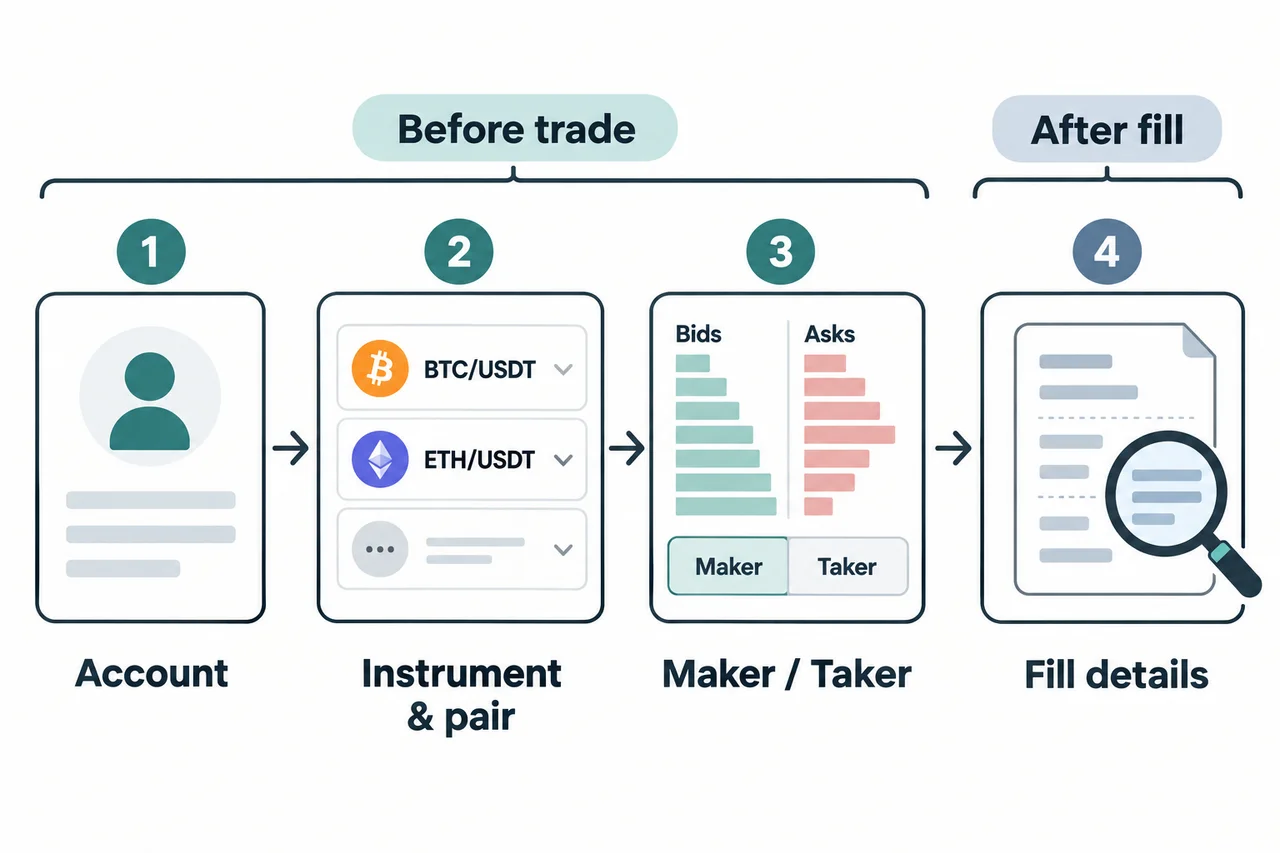
The actual reference is the product- and trading-pair-specific rate shown for your logged-in account, not the table accessible without logging in. Rates may vary by spot or futures, trading-pair group, special rates, and region, even for the same VIP tier. A limit order may also be Taker if it executes immediately against an existing order, so do not assume that the order type alone determines the Maker fee.
| What to check | Official navigation path and details to check |
|---|---|
| Current tier | App: Menu → Account settings → Profile → Trading fee tier. Web: check My fee tier under Assets → My trading fees. |
| Rate before trading | Web: Fees in the order panel for the relevant product and trading pair. App: Trade → relevant product → More → Fee rules. |
| Actual fee after execution | Check the rate, amount, and currency for each fill under Fee in Order history → Details or in Fill details in the app. |
Reference figures from the Standard spot public table viewed on October 24 are 0.0800% Maker·Taker 0.1000% for general users, and 0.0675% Maker·Taker 0.0800% for VIP 1. These are not the results of checking the applied rate for a specific account. They should not be applied as-is to futures, options, stablecoins, or special-rate trading pairs; check the relevant Fees again before placing an actual order.
Even a Maker tier with a negative rate does not mean risk-free returns. The conditions must result in an actual Maker fill for the relevant account and trading pair, and price movements, hedging costs, and slippage may exceed the rebate. Detailed calculations and fee currencies are covered in the OKX Fee Calculation Guide. The basis for verification is the Official Fee FAQ (revised 2026-09-09).
Calculate total costs before focusing on fee differences
This does not mean you should increase trading or deposits to reach a higher tier. Compare fee rates for the same trades you already planned, and assess the costs of additional trades separately from the risks of holding assets. The following is an AKEYX illustrative calculation, not an assumption about how your account will be treated.
| Assumptions | Calculation results |
|---|---|
| Spot sell trade value of 10,000 USDT, Taker 0.10% | 10,000 × 0.001 = 10 USDT |
| Same sell value, Taker 0.08% | 10,000 × 0.0008 = 8 USDT |
| Difference between the assumed rates for the same trade value | 10 − 8 = 2 USDT |
This is a one-sided fill calculation, assuming the fee is charged in USDT, the currency of the sell value. Buys and other products may use different fee currencies. It excludes the fee on the other side of a round trip, funding fees, spreads, slippage, withdrawal costs, loan interest, profit or loss, and partner rebates. Futures fees should be calculated based on the value of the contracts traded and the formula for each product, not on margin.
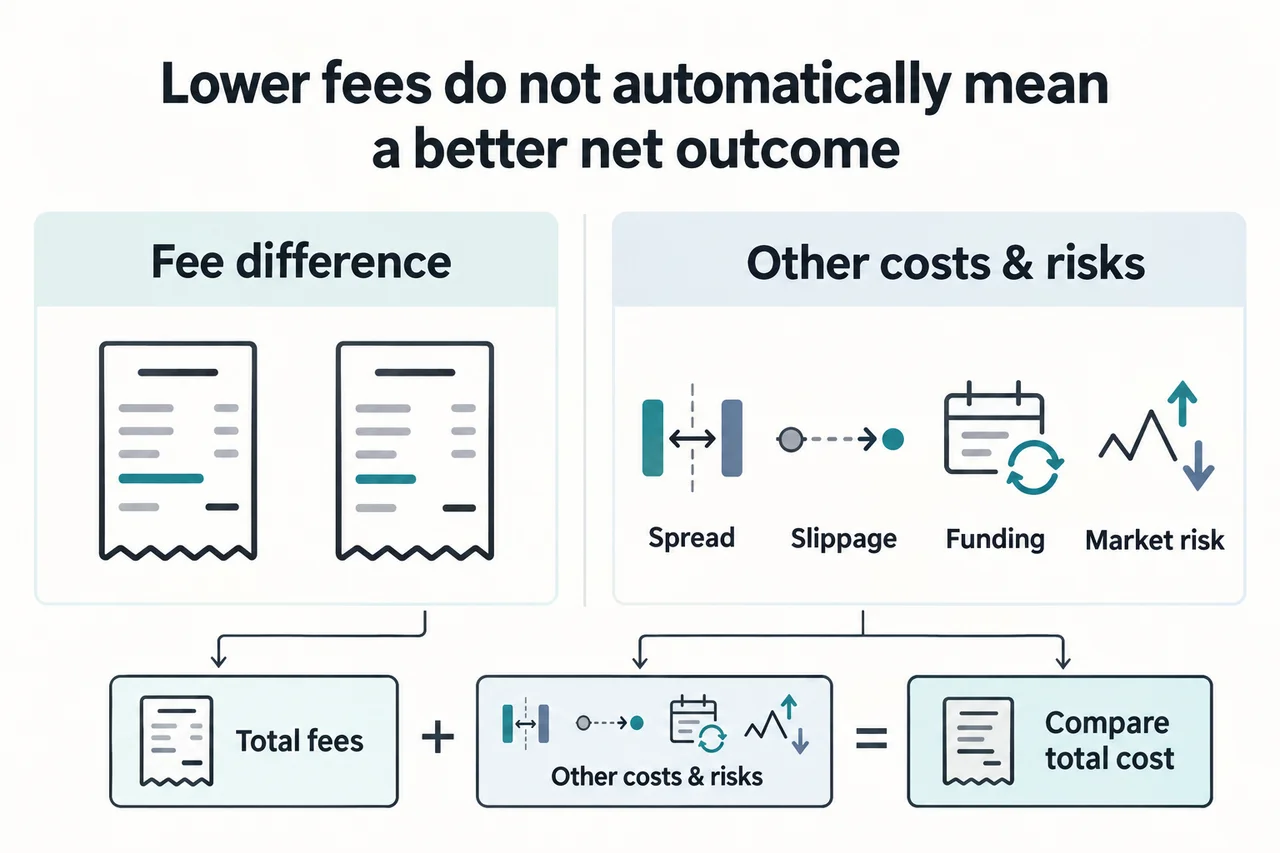
Derivatives funding fees are separate from VIP trading fees. VIP status does not eliminate price losses, forced liquidation, or the risks of holding assets on an exchange.
OKDCC and VIP: check allocation rates and payment records separately
VIP is a fee tier based on assets and trading volume, while OKDCC is an invitation code whose link status and terms should be checked on the sign-up screen. Linking the code, the allocation rate for invited users, and payment records after trading are separate items to verify. Read the eligible users, period, and exclusions shown before signing up, then check your own account after signing up to confirm whether you were actually allocated a rate. No specific discount rate or lifetime applicability is guaranteed.
| Item | Where to check / category |
|---|---|
| VIP tier and trading rate | Trading fee tier / My trading fees and Fees for the trading pair |
| Allocation rate for invited users | App Main menu → User Center → My Rewards. If there is no relevant module, first check whether you were allocated a rate |
| Rebate payment records after trading | App Menu → Campaign center → My rewards. This is separate from where you check the allocation rate |
The partner program rules revised 2026-09-29 explain commission exclusions, including fee-free trades, special rates, fee-offset mechanisms, regions, and account types. They state that VIP 5 and 6 are subject to monthly caps, and that partner commissions do not apply to VIP 7 and above. These are partner commission rules, not the same concept as a negative VIP Maker rate. Do not assume that invited users are eligible for payments; check your account records and contact official support.
Do not assume that changing the channel for an existing account is always possible or always impossible. Some regions and accounts may have a conditional application process, so confirm your eligibility with official customer support. Account deletion, signing up again, using a different identity, or circumventing regional restrictions are not recommended as solutions. For details, see the OKX Code Application and Record Verification Guide; official references are the Affiliate FAQ and Partner Program Rules.
Regional and product restrictions to check alongside VIP benefits
Official information lists customer support, sub-accounts, withdrawal limits, and some financial products in addition to fee tiers. However, their appearance on the list does not mean all of them are available to your account. Check the services shown in VIP Center, any additional screening, terms, and separate costs. Do not interpret returns or principal-protection statements for financial products as a guarantee that all assets held on the exchange are safe.
Trial VIP is different from a tier earned by meeting regular asset or trading-volume requirements. Check the trial screen for eligible accounts, verification requirements, validity period, and excluded services; do not assume that trial VIP becomes permanent after the trial ends. A higher withdrawal limit does not mean that KYC, security, or risk-management checks are waived.
The OKX Risk and Regulatory Disclosure (revised within the document on 2026-07-08) explains service restrictions by country and regional price differences, and also notes possible restrictions on derivatives and P2P services in Korea. VIP does not remove these restrictions. Refer to the Korea OKX Terms of Use Guide, but separately verify eligibility based on your actual residence, contracting entity, local laws, and logged-in account.
Steps to take when your tier differs from what you expected
- Check the account, contracting entity, and product you are viewing, and distinguish them from the reference table available without logging in.
- Check the assets recognized by your account and the recent 30-day trading volume for each product, rather than KRW deposits or the balance currently shown on screen.
- Check for excluded transactions, borrowed assets, trades rolling out of the 30-day window, and whether a trial has expired.
- After the calculation time and refresh window have passed, compare My fee tier with Fees for the relevant trading pair.
- If the discrepancy persists, contact customer support through the official app or website with the product, trade time, displayed tier, and rate. Do not share your password, authentication codes, or API secret keys with anyone.
The complete pre-use checklist is linked in the OKX Essential Guide. AKEYX is not the OKX official website, and this information is not an invitation to sign up, deposit, or trade, nor is it investment, legal, or tax advice. Asset price declines, exchange custody, account restrictions, leverage, or forced liquidation may result in substantial losses or the loss of all assets.
Frequently asked questions
What are the requirements for OKX VIP 1?
The reference criteria in the official information reviewed on 2026-10-24 are assets of 100,000 USD, or one of the following: recent 30-day spot trading volume of 1,000,000 USD, futures trading volume of 5,000,000 USD, or options trading volume of 3,000,000 USD. You do not need to meet all of them; check your applicable tier and product eligibility in your logged-in account.
Why doesn't my VIP tier change immediately after I meet the requirements?
The general guidance is that calculations are made daily at 16:00 UTC, followed by updates between 20:00 and 22:00 UTC. Real-time updates are not guaranteed. Check the exclusions for recognized assets and trading volume, as well as whether a trial has expired. If the tier still differs after the update, contact official customer support.
Can fees differ between people with the same VIP tier?
Yes. Region, contracting entity, product, trading pair, special rates, and whether a Maker or Taker fill occurred may differ. After logging in, check Fees for the relevant trading pair and the fill details.
Does entering OKDCC automatically apply both VIP status and rebates?
No. VIP tier, invitation code linking and allocation rate, and payment records for eligible trades are separate. Check the terms before signing up, then separately verify the allocation rate under My Rewards in User Center and payment records under My rewards in Campaign center.
Is it beneficial to increase trading volume or deposits to qualify for VIP?
There is no guarantee that it is beneficial. Additional trading fees, spreads, slippage, funding fees, price losses, and custody risks may exceed the rate difference. The examples in this article compare costs for the same planned trade; they do not recommend increasing trading or deposits.
Official sources and scope of review
Final review date: 2026-10-24. The relevant explanations in this article are linked to the VIP eligibility information (officially revised October 15), current public fee schedule, Fee FAQ (September 9), Affiliate FAQ (September 15), Partner Program Rules (September 29), and Risk and Regulatory Disclosure (revised within the document on July 8). We did not verify readers' non-public account rates, payment outcomes, or tier reviews, and did not present the official documents' revision dates as the AKEYX review date.
Partial comparison on 2026-11-05: the VIP thresholds, general update window, and Standard spot reference rates matched the material viewed and were retained. Only the volume-conversion and actual-fee comparison was added. This does not replace the full review dated 2026-10-24 or claim a new review of all affiliate rules and regional conditions.