OKX Convert is a feature that lets you select the assets and amounts to exchange, review the quote provided, and then convert them. It differs from placing market or limit orders in the order book as you would in spot trading. Even if no separate trading fee is shown, the quote may include a spread, so compare the amount of the asset you will ultimately receive rather than focusing on fee wording.
This article explains the process for converting between cryptocurrencies, comparing costs with spot orders, and troubleshooting insufficient balances, unsupported assets, and quote errors. Features, supported assets, limits, and menus vary by region and account. The official materials were checked on October 13, 2026, and the illustrative diagrams are not actual OKX screens. First check eligibility against the guide to checking regional and KYC requirements for users in Korea and the notices in your account.
1. How is Convert different from spot trading?
Convert lets you review an exchange quote provided by the platform, while spot trading matches your order with other orders in the order book. As a result, even when converting the same coins at the same time, the quoted price, actual execution price, separate fees, and amount received may differ. Do not assume in advance that one option is always cheaper.
| Item to check | Convert | Spot order |
|---|---|---|
| Price determination | Reviewing the quote provided | Order book and actual execution |
| Checking costs | Spread included in the quote and amount received | Execution price and separate trading fee |
| Setting the price | Deciding whether to accept the displayed quote | Using supported orders, such as limit orders |
| Order status | Distinguishing quote, confirmation, and completion records | Distinguishing unfilled, partially filled, and completed orders |
| Availability | Conversion routes and limits available in your account | Trading pairs available in your account |
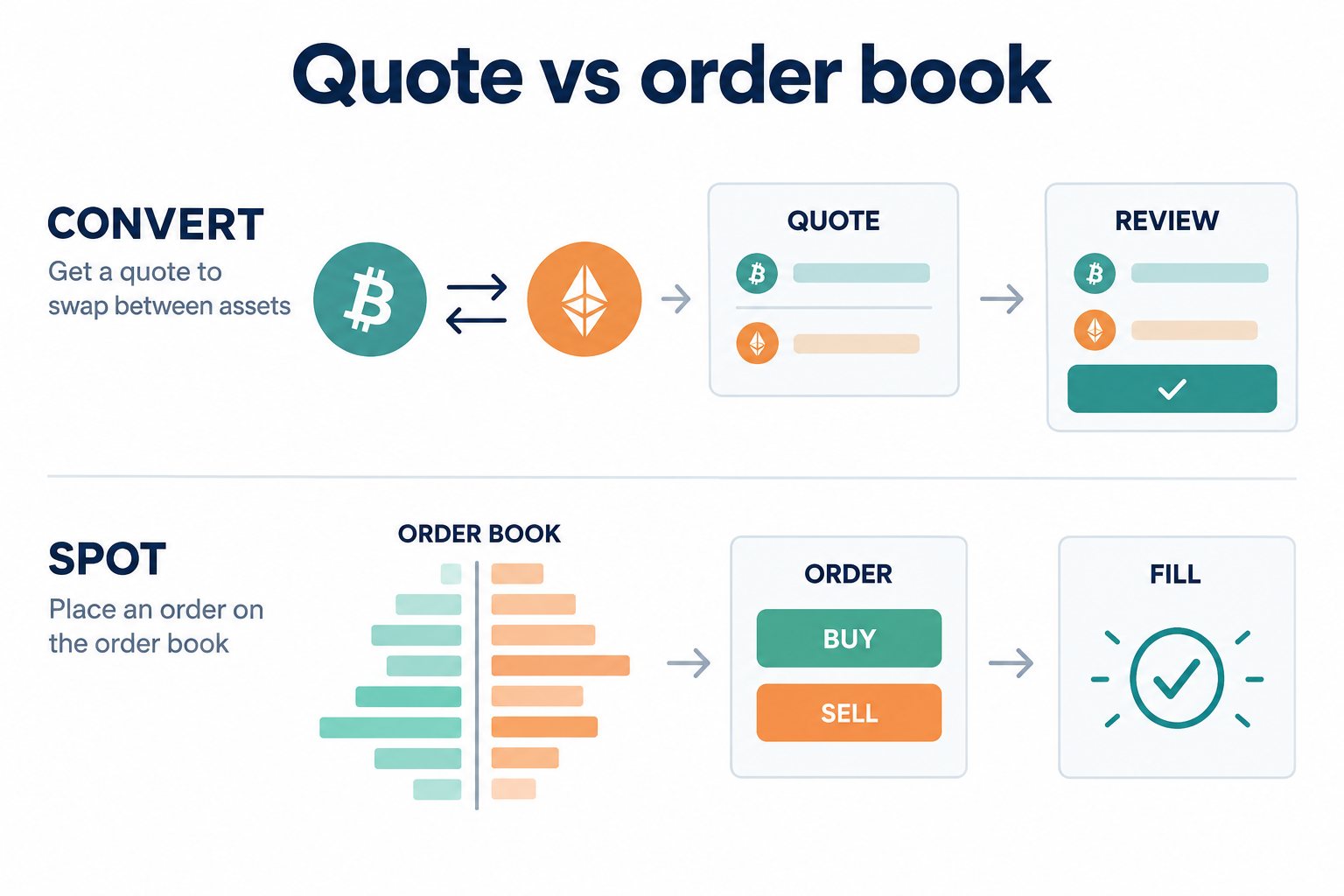
Simply converting assets you hold and setting a desired price and waiting have different objectives. If you choose the latter, you should understand the possibility of a limit order remaining unfilled or being only partially filled. If you are unfamiliar with orders, also read How to buy and sell on the spot market and check for unfilled orders. This article focuses on comparing conversion quotes rather than repeating the full spot order process.
Source: OKXOfficial Convert information. Quotes may reflect factors such as conversion size, market volatility, and the liquidity of the two assets. As this document contains region-specific guidance, supported products are not necessarily available to users in every country.
2. OKXHow to use Convert: what to check before confirming
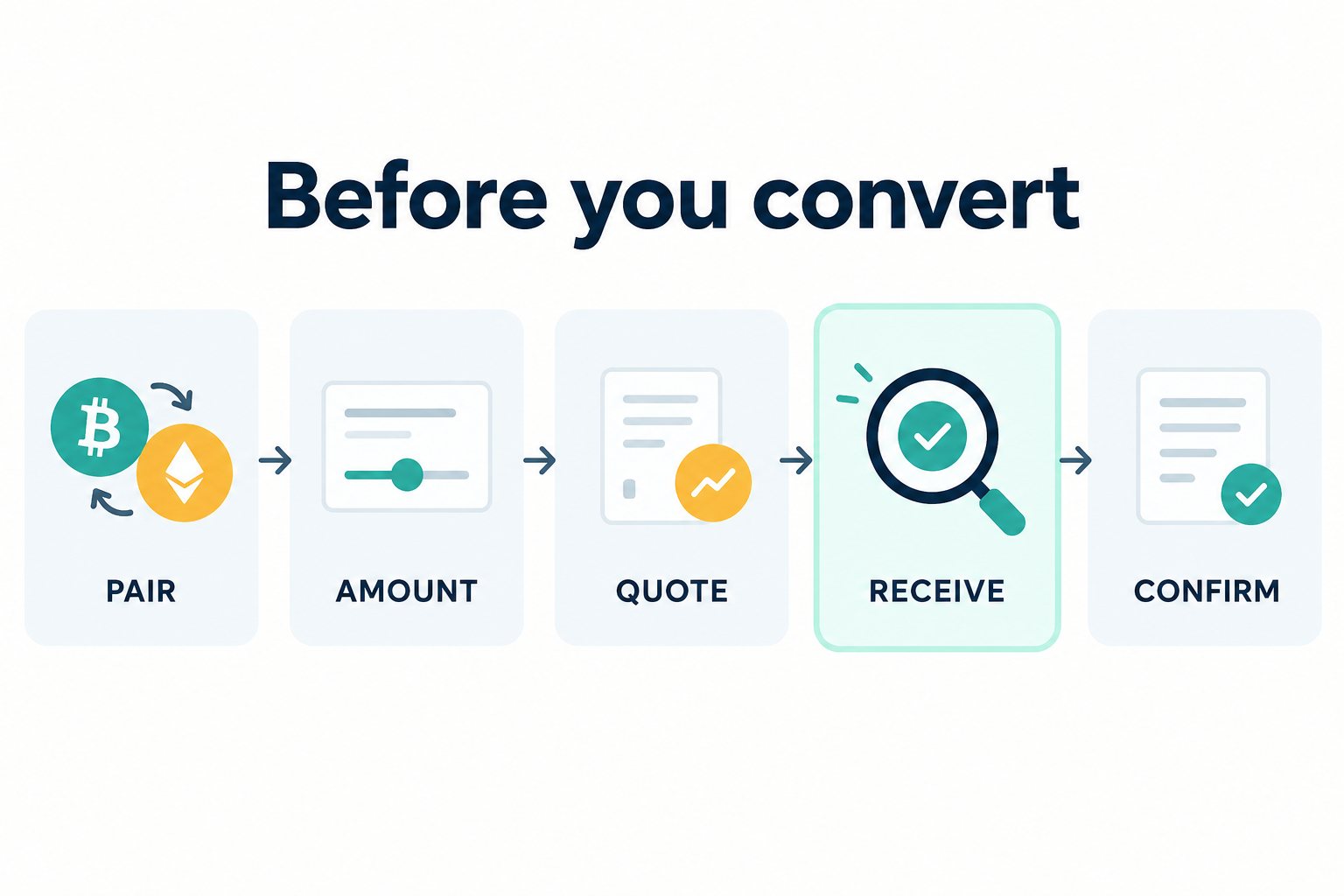
Open the Convert menu available in your account on the website or app, then select the asset to send and the asset to receive. The location within the trading menu may vary by app version or region, so check the currently displayed feature and asset names rather than relying on button locations in outdated screenshots. You can review a quote without completing the conversion by stopping before the final confirmation.
- Availability: Check whether Convert and the selected assets are available in your region and account. Do not attempt to bypass any restrictions shown.
- Direction: Distinguish the asset you are sending from the one you are receiving. Converting BTC to USDT is the opposite direction from converting USDT to BTC.
- Amount to convert: Check whether the amount is specified in coins or by value, and whether the decimal places are correct. Use the available balance, not the total balance.
- Quote and amount received: Review the exchange rate offered, the amount you will receive, any separately displayed costs, and any notice about quote updates. Do not confuse an outdated preview with the current confirmation screen.
- After confirming: Check the completion status and the amounts sent and received in your transaction history. If the screen freezes, do not repeat the same transaction before checking the history.
Assets with similar names may still be different assets. Check the full asset name rather than deciding based only on the ticker. A conversion exchanges assets held within your account; it is different from a withdrawal to an external address. Do not treat a routine account conversion like an on-chain transfer by entering an arbitrary wallet address, and do not send assets to anyone impersonating support staff.
Official materials also distinguish an initial reference indication from a tradable quote and advise users to check the quote's validity period and execution-time conditions. Do not assume that a preview figure is a guaranteed final amount for every region. It is important to read the terms on the latest confirmation screen and then check the actual amount in the completion record after execution.
3. Why do I receive less when there is no separate fee?
Not being charged a separate trading fee does not mean there is no economic cost. A Convert quote may include the spread, or difference between buying and selling prices. Receiving less than the amount calculated using a reference price on a chart does not, by itself, indicate a system error or a separate hidden fee.
You should also check what price you are comparing against: the chart's most recent trade price, the midpoint between the bid and ask, or a price at which you can actually trade. A reference price does not guarantee that every amount can be executed at that price. The average execution price of a spot market order can also vary depending on order-book depth and the time of execution.
OKXThe Buy/sell/convert spread disclosure states that terms may vary by market and region. Do not treat a cap stated in a document for a particular region or another user's experience as a fixed spread for your account. This article also does not apply the same percentage to every transaction.
4. Compare the final amount received for the same amount converted
Start by comparing the same asset and amount converted at approximately the same time. For spot trading, compare the net amount received after execution and fees; for Convert, compare the amount offered by the quote. If the spot fee is charged in a currency other than the asset received, convert that cost into the same reference currency for a fair comparison.
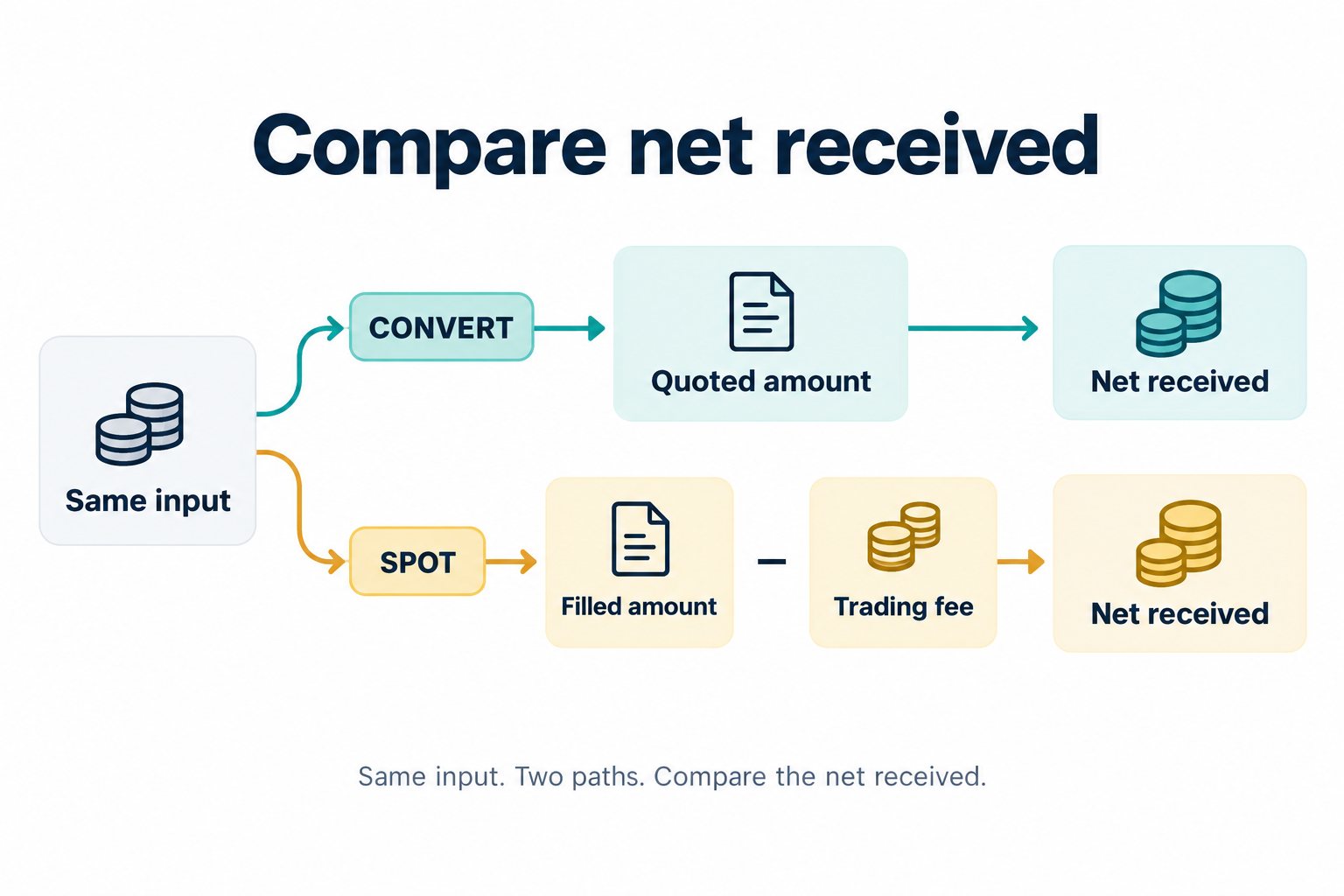
The following is a hypothetical example to explain the calculation method, not actual market prices, quotes, or OKX applicable rates. Assume you convert 0.01 BTC to USDT, the entire amount fills on the spot market at 100,000 USDT per BTC, and a 0.1% trading fee is charged in the asset received, USDT. Separately, assume the amount received according to the Convert quote is 992 USDT.
| Item | Hypothetical calculation |
|---|---|
| Spot execution amount | 0.01 BTC × 100,000 USDT/BTC = 1,000 USDT |
| Spot trading fee | 1,000 USDT × 0.001 = 1 USDT |
| Net amount received from spot trading | 1,000 − 1 = 999 USDT |
| Amount received according to the Convert quote | 992 USDT |
| Difference between the two methods | 999 − 992 = 7 USDT |
Do not deduct an embedded cost twice. If the quoted 992 USDT already reflects the spread, do not subtract an assumed spread again. The implied exchange rate is 992 ÷ 0.01 = 99200 USDT/BTC. The difference from the reference value of 1000 USDT is (1000 − 992) ÷ 1000 = 0.8%. This is a difference relative to the chosen reference price, not an actual spread or separate fee rate published by OKX. After execution, reconcile the actual receipt with the completed transaction record.
The comparison can reverse when the execution price changes. Under the same assumptions, the average spot execution price giving a net receipt of 992 USDT is 992 ÷ (0.01 × 0.999) ≈ 99299.30 USDT/BTC. At 99000 USDT/BTC, spot nets 990 × 0.999 = 989.01 USDT, which is 2.99 USDT less than the hypothetical Convert receipt. This assumes a full fill and a fee charged in USDT; other costs, rounding and actual execution availability are separate. This is an AKEYX hypothetical calculation, not a live quote or a recommendation to trade.
In this example, the net amount received from spot trading is 7 USDT higher. However, an actual assessment should account for your account's rates, executable prices, order size, quote updates, and decimal-place handling. Even if a limit order is placed at a better price, it cannot be compared with a completed conversion on the same basis if it does not fill. You do not need to make an unnecessary real transaction just to compare.
The formula is Net amount received from spot trading = actual execution amount − applicable trading costs. A fee rate of 0.1% is 0.001 as a decimal; it is not 0.1. The calculation above does not include withdrawal costs, network costs, taxes, post-trade rebates, or funding fees. Price impact in spot trading is included in the assumed execution price, but should be checked separately in an actual transaction. Rates and fee currencies are covered separately in the guide to calculating spot and futures fees and checking actual rates.
5. What to do when you have a balance but cannot convert
Total balance and available balance are different. If assets are in another account or allocated to open orders, Earn products, bots, margin, or other uses, they may appear in your total balance but be excluded from the amount available to convert. First check on-screen which account balance Convert uses.
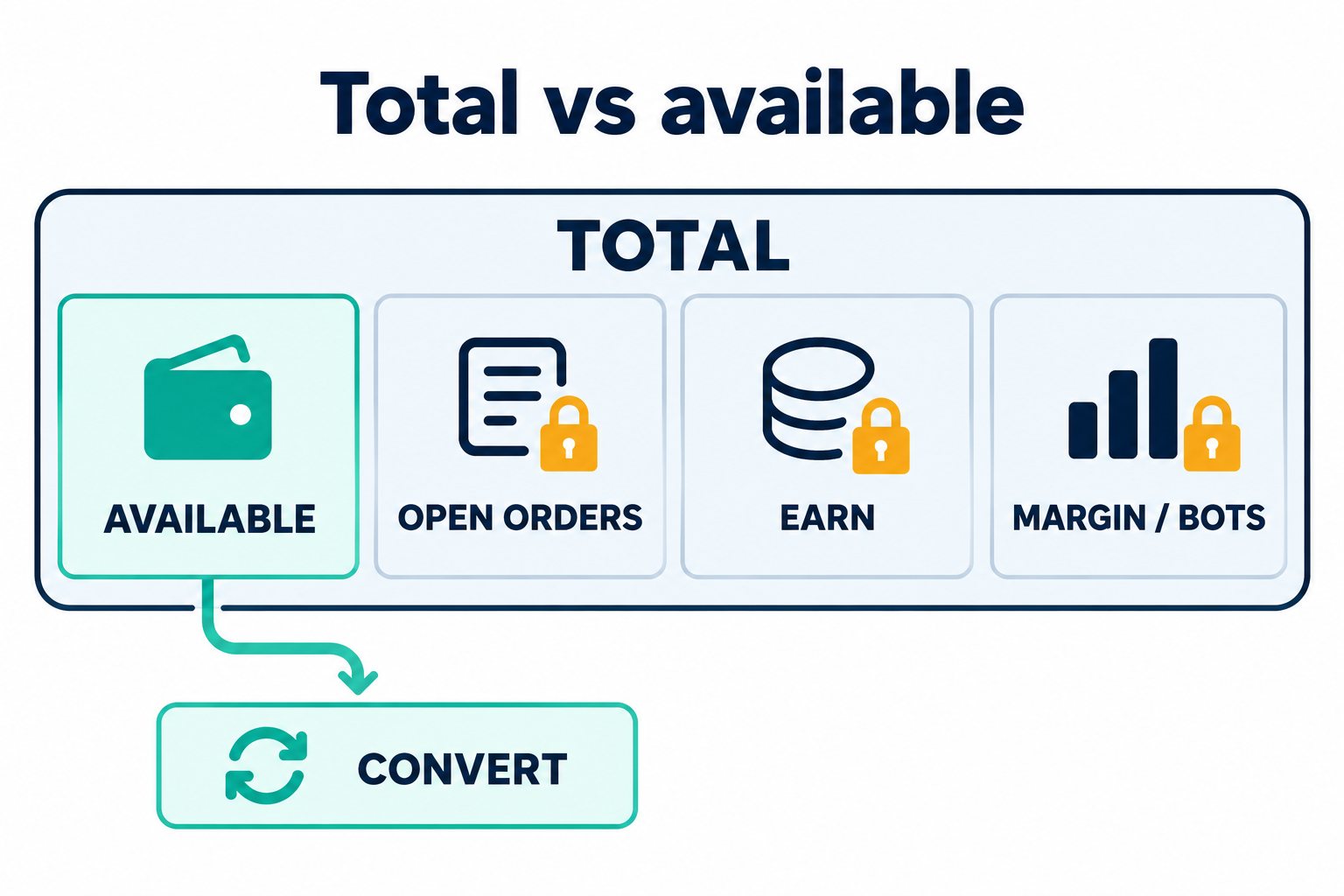
Do not start by canceling all orders, stopping bots, or arbitrarily reducing collateral just to free up a balance. Orders that have already been filled cannot be reversed by cancellation, and reducing margin supporting a position may increase the risk of liquidation. Earn redemption timing is also subject to the terms of each product. Check the purpose and impact of each allocation before deciding what action, if any, is necessary.
The fact that a held asset does not appear in the selection list does not necessarily mean it is not listed on the exchange. Holding an asset, having a spot trading pair available, and having a Convert route available are separate conditions. Use the current lists of source and destination assets in your account and any limit notices for the amount entered as your reference. If direct conversion is unavailable and you split the exchange into multiple steps, review a new quote and the associated costs at each step.
6. Troubleshooting conversion errors, expired quotes, and differences in amounts received
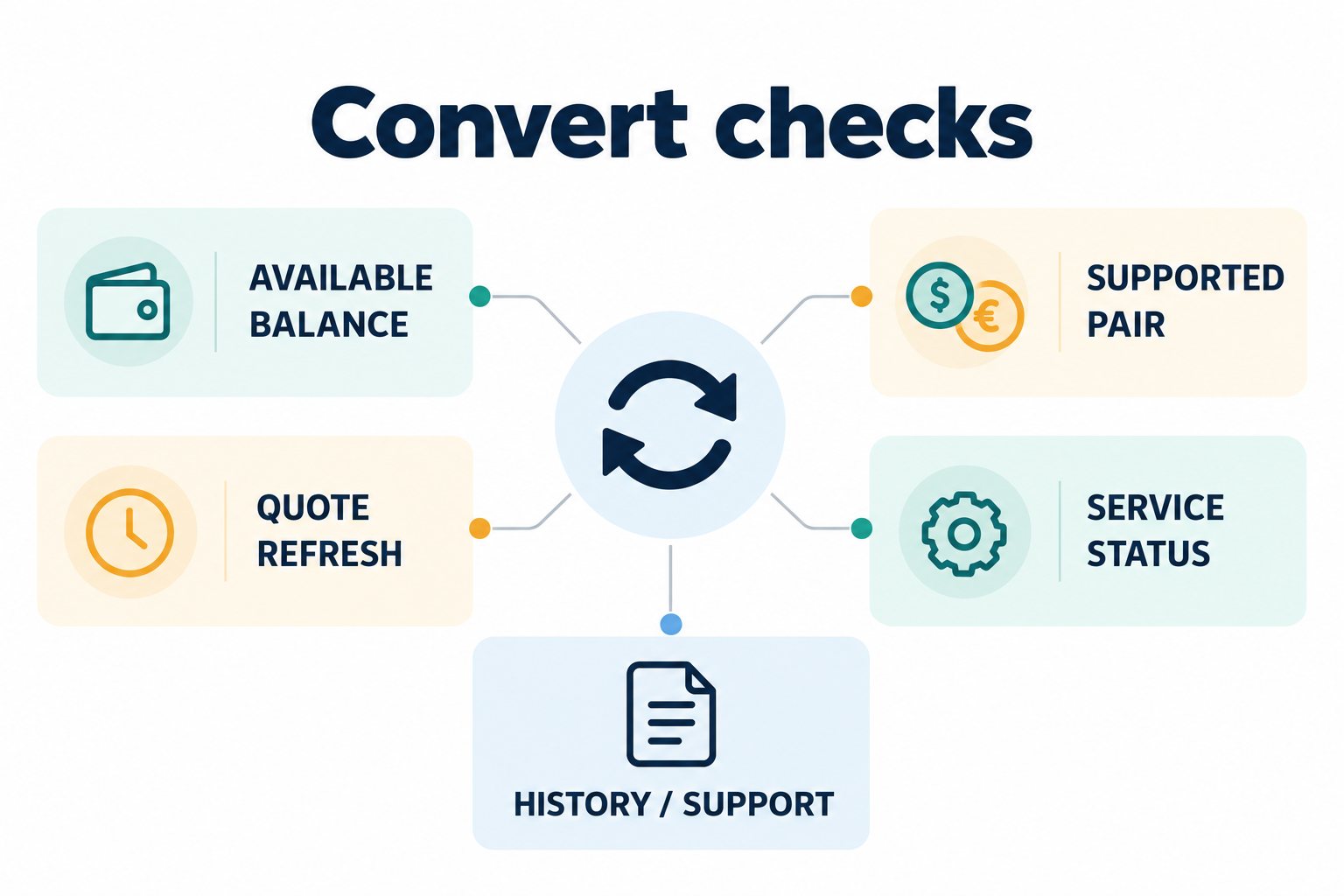
| Message or situation | What to check first |
|---|---|
| Insufficient balance | The account being used, available balance, and funds allocated to orders, products, or collateral |
| No asset or route available | The support list and regional and product conditions for the current account |
| Quote refresh and expiration | Review the latest rate and amount to be received again, and distinguish them from the previous quote |
| Service temporarily unavailable | Completion records, official service notices, and whether the same issue occurs on the web and in the app |
| Receiving less than expected | The confirmed terms, actual completed amount, spread, and timing of the reference price |
If the screen freezes immediately after you confirm, do not assume that the transaction succeeded or failed. First check your transaction history for a conversion involving the same assets at the same time, then decide whether to try again. Some official regional guides explain how to filter Activity by Type: Convert, but the asset and history menus may have different names in other apps. Rather than trying to match screen labels exactly, search by the Convert transaction type, time, and amount.
If the issue persists, contact official customer support with the transaction ID, asset pair, amount sent, amount received, date and time, time zone, and error message. Redact unnecessary personal information, such as email addresses and balances, from screenshots. Do not share your password, OTP, passkey, API secret key, or wallet recovery phrase. Do not comply with requests for deposits or remote access from private messages impersonating customer support.
Source: OKX Convert FAQ. If the feature is unavailable because of eligibility restrictions, do not try to get around them with a VPN, another identity, or a duplicate account.
7. A conversion is not a withdrawal or a trade cancellation
Converting BTC to USDT changes the asset you hold; it does not deposit Korean won into your bank account. Even where cash-related conversions are available in some regions, an in-account conversion and a bank withdrawal are separate processes. We do not guarantee that any specific fiat currency feature is available to users in Korea. If you need to transfer assets externally, consult the separate Deposit and Withdrawal Network, Memo/Tag, and Delay Troubleshooting Guide.
Converting in the opposite direction to undo a confirmed and completed conversion is a new transaction, not a cancellation of the original one. The newly quoted price and spread will apply, so there is no guarantee you will recover the original amount. Repeatedly converting the same assets back and forth as a test is also unfavorable for comparing costs.
Risk notice: Cryptocurrency prices and the value of stablecoins can fluctuate. Convert is not a loss-prevention feature, and risks include platform custody, liquidity, and service interruptions. This article explains how to use the service and is not a recommendation to invest, buy, or sell. You do not need to confirm a transaction if you do not understand the purpose of your holdings and the risks.
8. Checklist before confirming
- Is the feature available in your region and for your account?
- Are the asset to send, asset to receive, amount, and decimal places correct?
- Have you distinguished your available balance from assets allocated to other features?
- Have you checked the latest quote and amount to be received, rather than the reference chart price?
- If comparing with spot trading, have you calculated costs using the same input amount and fee currency?
- Do you know where to check the record after confirming and how to contact support safely if an error occurs?
The terms of referral code OKDCC and the signup link do not make spot Maker/Taker fees, Convert quotes, and post-trade rebates the same benefit. Even if the code is linked, do not assume that it eliminates the Convert spread or guarantees a rebate at a fixed rate. Before signing up, review the displayed terms; after signing up, check My Rewards for eligible transactions, applicable rates, and periods. Also distinguish transaction completion records from reward records.
Frequently asked questions
Is Convert always cheaper because it has zero fees?
No. A quote may include a spread even when there is no separate transaction fee. For the same input amount, compare the amount received through Convert with the amount received after spot execution and deducting costs. Actual results vary depending on your account rate, prices, and liquidity.
Does converting to USDT mean that a Korean won withdrawal is complete?
No. USDT is not a Korean won bank balance, and exchanging assets and making an external withdrawal are separate processes. Withdrawals require checking eligibility, the recipient address, network, Memo/Tag, fees, and the applicable service terms.
Why does it say there is insufficient balance when my total balance is sufficient?
Assets held in another account or allocated to orders, Earn, bots, or margin may not be immediately available. First compare the account selected for Convert with your available balance. Do not arbitrarily reduce collateral or cancel all orders just to make a conversion.
Are the minimum and maximum conversion amounts the same for all coins?
Do not assume they are. Conditions may vary by asset, route, account, and time, so check the current selection list and the guidance shown after entering an amount. Do not apply limits from an old screen or another region.
If I converted the wrong way, will converting it back restore the original amount?
That is not guaranteed. A reverse conversion after a completed transaction is a separate new transaction, subject to a new quote, costs, and market prices. It is important to check the direction and amount to be received before confirming.
Is it an error if the chart price differs from the conversion quote price?
A price difference alone does not indicate an error. The chart's reference price and an executable quote serve different purposes. Check that the asset, time, and amount are the same. If the difference cannot be explained by the spread or completion record, contact official customer support with the transaction ID.
Official sources and review scope
- What's OKX Convert? — Quote model, differences from spot trading, supported routes, and limits. Document updated September 4, 2026.
- Convert FAQ — Available balance, records, spreads, errors, and completed transactions. Document updated September 2, 2026.
- Buy/sell/convert spread disclosure — Spreads included in quotes and market and regional conditions. Document updated October 31, 2026.
- Affiliate FAQ — Referral reward terms and account verification. Not used as evidence that Convert costs or rebates on all transactions are guaranteed.
AKEYX Review date: October 13, 2026. We reviewed the quote methods, cost distinctions, balance, availability, records, and error guidance in the regional public documents above. This is not a user review based on making an actual conversion in a specific account or verifying an individual's applicable rate. The numerical example is a hypothetical calculation in AKEYX; the latest guidance in your own account takes precedence regarding actual availability and confirmation terms.
Partial review, 2026-11-05: rechecked the cost and receipt conditions in the official Convert explanation, FAQ and spread disclosure, and verified the comparison calculations above. The spread disclosure is currently updated 2026-10-31; check account-specific regional conditions. The original 2026-10-13 review date has not been replaced by a claim that the entire article was reverified.