Affiliate disclosure: This article contains an OKX partner link. If you register or trade through it, the site operator may receive compensation. User benefits vary by account, region, VIP tier and campaign; check the sign-up page and My Rewards for the terms actually applied.
OKX KYC identity verification may be required to use key features of a personal account, such as deposits, trading, and withdrawals. As of October 18, 2026, the official process is to enter your country of residence and personal information, photograph a government-issued ID shown on the screen, and complete a face check. Accepted IDs and limits vary by country, service, and account, so users in Korea should prioritize the documents and requirements actually shown on their verification screen.
| What to prepare | What to check | What to avoid |
|---|---|---|
| OKX Official app or website | Latest app version, official domain | Fake verification links in search ads or messaging apps |
| Government-issued ID | A type accepted on the verification screen and still valid | Unsupported or expired documents |
| Color photo of the original | All edges, name, date of birth, and photo are clear | Screenshots, copies, edited files, or cropped photos |
| Face verification | One person in a well-lit place; follow the on-screen instructions | Masks, hats, reflective glasses, or blurring |
| Account information | Name, date of birth, and country of residence match the document | Someone else’s document, duplicate accounts, or fabricated information |
Key principle: Do not use another identity, create duplicate accounts, or bypass regional restrictions with a VPN. OKX The official guidance explains that verification may fail or an account may be restricted if the same set of identity information is already linked to another account. If you need to transfer an account or change information, do not create a new account; use the official Support Center process.
Why OKX requires KYC and how to check your actual limits
OKX requires identity verification for personal accounts to prevent fraud and money laundering, comply with regulations, and protect accounts. Once verification is complete, you can use the deposit, trading, and withdrawal features permitted for your account, but not all users receive access to the same products and limits.
- Withdrawal limits may vary depending not only on verification status but also on fee tier, region, withdrawal method, and account status.
- Whether products such as Spot, Futures, P2P, and Earn are available depends on your region of residence and the applicable legal entity.
- Check the values displayed on the Profile·Verification, Trading fee tier, and Withdraw screens for your exact limits.
- Do not assume that old fixed figures such as “a few BTC per day” apply to all accounts today.
Check the OKX eligibility guide for Korean residents. Completing verification does not automatically grant the right to use products that are unavailable in your region.
What to prepare before identity verification
- Update the OKX app to the latest version through the official app store.
- Go to Profile → Verification or, in the app, Menu → Account settings → Identity verification.
- Have your actual country of residence and nationality, legal name, and date of birth ready exactly as they appear on your ID.
- Choose one of the accepted documents shown on the screen. Supported documents, such as passports, national ID cards, and driver’s licenses, vary by jurisdiction.
- Have the original ID, a smartphone with a camera, a stable network connection, and a well-lit place ready.
Compare your legal name with the actual wording on your valid ID; do not invent a translation. OKX says its system accommodates reversed first and last names, so order alone does not necessarily mean an error or require a change. For genuine spelling or accent errors, use the correction supported by your account or official support. If proof of residence is requested, submit a document showing your name and full address within the official issuance period.
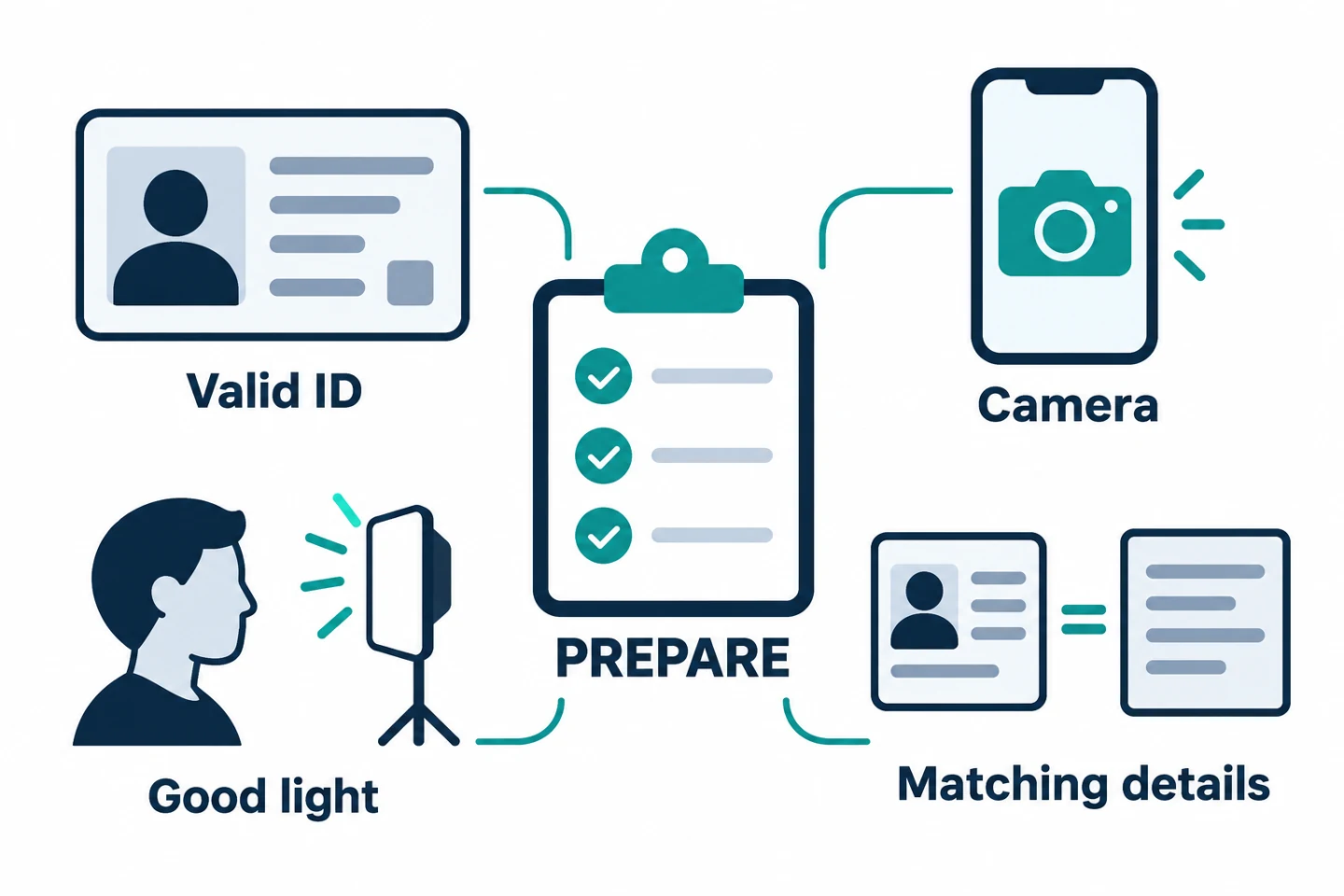
Prepare proof of residence only if requested. Accepted documents and issuance-date requirements may vary according to official regional guidance, so check the requirements on your screen and contact official customer support if anything is unclear. This article does not guarantee account opening, verification approval, or eligibility to use any particular product for residents of Korea.
OKX KYC process in the mobile app
- Open the verification menu: Go to Menu → Account settings → Identity verification in the OKX app.
- Select a personal account: Select Continue or Verify under Individual account.
- Enter basic information: Enter the information requested on the screen, such as your country of residence, nationality, legal name, date of birth, and address.
- Select an ID: Choose the document you will use from those currently supported for your account.
- Photograph the original: Take a color photo that clearly shows all edges, text, and the photo on the document. Follow the on-screen instructions about whether both sides are required.
- Face verification: Position your face within the oval frame and slowly follow the on-screen instructions, such as moving your head.
- Check after submission: Check the app, email, or SMS for approval or a request for additional information.
Even if you start on the web, you may be prompted to continue by taking photos with your mobile camera. Submit ID and selfie data only through the official OKX app or domain, and do not comply with impersonators who ask you to send it as an email attachment or through a messaging app.
Common reasons photos are rejected and how to resolve them
| Error | Possible cause | Safe solution |
|---|---|---|
| Invalid document photo | Blur, glare, cropping, or obscured information | Clean the lens and retake the photo with all edges of the document visible |
| Unsupported or expired ID | Document is unsupported or expired | Check the supported documents and validity period shown on the screen |
| Screenshot/non-original | Screenshot, copy, or photo of a screen | Photograph the physical original in color |
| Information mismatch | Name, date of birth, or document information does not match | Compare the legal information on the document and account; do not alter it arbitrarily |
| Face recognition failed | Poor lighting, face obscured, blur, or another person | Retry alone in a well-lit place, following the frame instructions |
| ID already verified | The same identity is linked to another account | Do not create a duplicate account; ask official support to check your account |
| Country/region unsupported | The country of residence or document is not eligible | Do not bypass restrictions; check the official regional policies and support process |
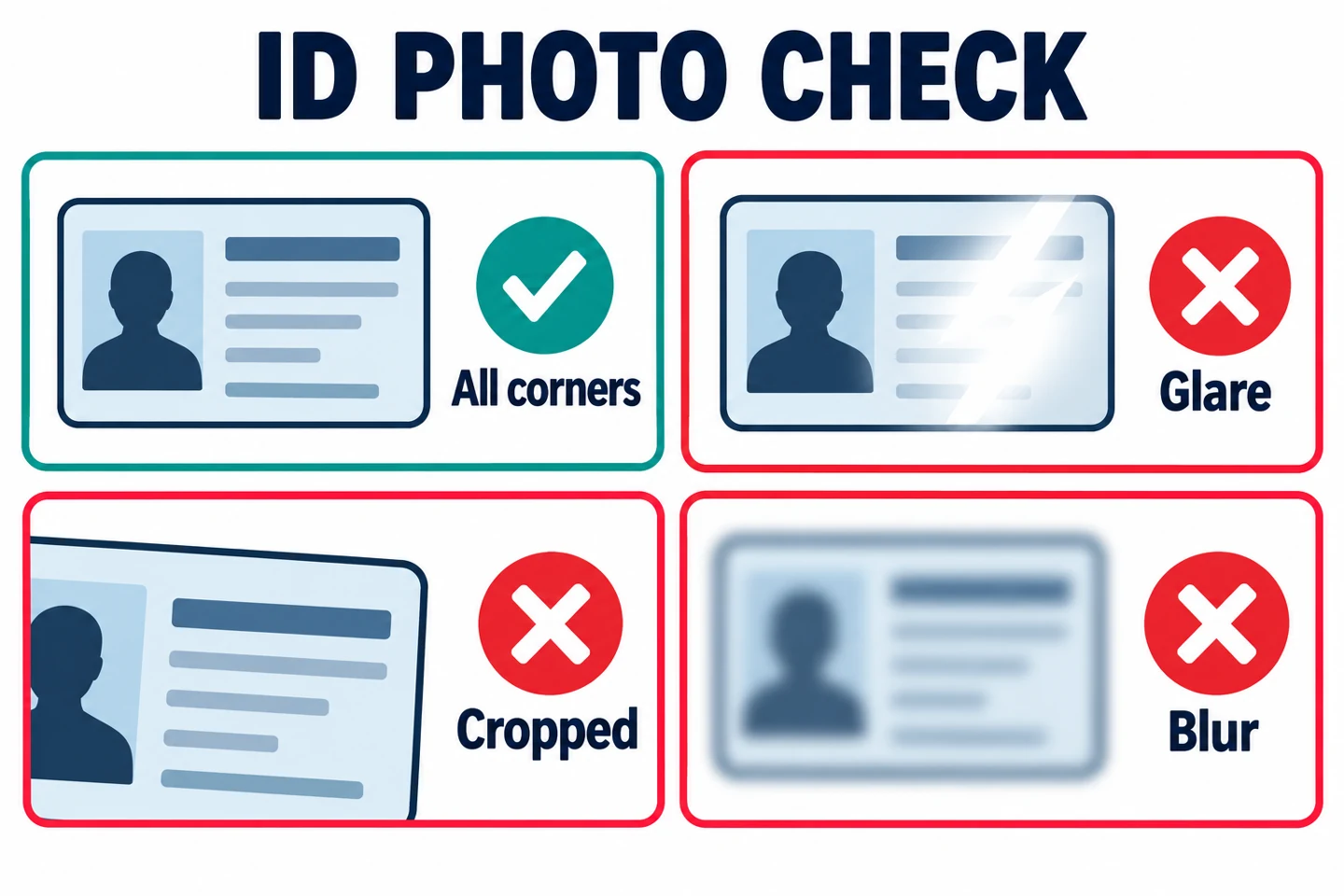
How to reduce glare and cropping when taking photos
- Use a plain background that contrasts with the document.
- Adjust the angle so direct light and flash do not reflect off the document.
- Keep all four corners and all text on the document within the frame.
- Do not use filters, retouching, cropping, or black-and-white conversion.
- For selfies, remove masks, hats, and reflective glasses that obscure your face.
When the camera will not open or an upload stalls
If the photo or selfie screen will not open, first check the camera permission for the official OKX app in your device settings, along with your connection and app version. If you are using the web, confirm that you are on the official domain, then check the site’s camera permissions and on-screen instructions. Stop if the permission request seems unexpected or redirects you to another domain.
Even if you can take a photo, adjusting the lighting or repeatedly retaking it will not resolve a mismatch in facial or account information, or an ID that is already linked to another account. The account owner should contact official customer support directly. Reinstalling the app or resetting the device is not recommended as a first step. If you have a Web3 wallet, first check the official guidance and make sure your backup is secure, as you could lose access to your recovery method.
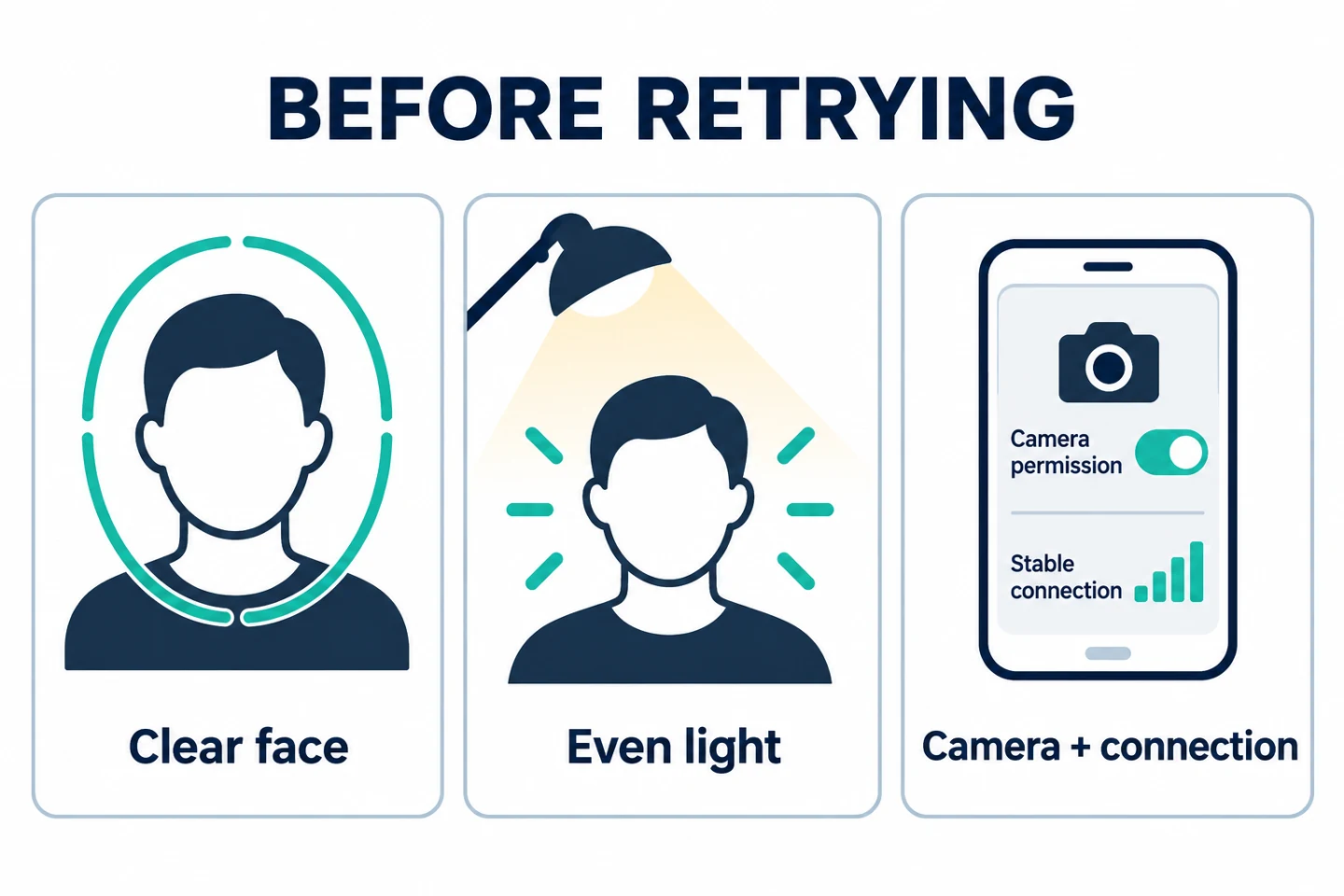
Source: OKX Causes of verification failure and camera/upload checks. Checked on 2026-10-18. The web permission checks above and the precautions before reinstalling are safety checks from AKEYX to help isolate the error; they are not procedures for relaxing approval requirements.
How long does review take?
OKX Official guidance explains that automated processing may take about 30 seconds after you upload your documents, and that additional review may take up to 24 hours. Processing may take longer during periods of high application volume or if additional materials are needed, so these figures should not be interpreted as guaranteed approval times.
- Do not repeatedly resubmit immediately after submitting. Check the app status and your email.
- If you receive a rejection reason, correct only the relevant item and resubmit.
- If you receive no notification after 24 hours, check your status through the Support Center or the official chatbot in the app.
- Do not use third-party services that offer “instant approval for a fee” or “verification on your behalf.”
Source for processing times: OKX Identity verification processing time guidance (officially updated 2026-08-11, checked on AKEYX 2026-10-18). For applicability, prioritize the information shown for your account and region.
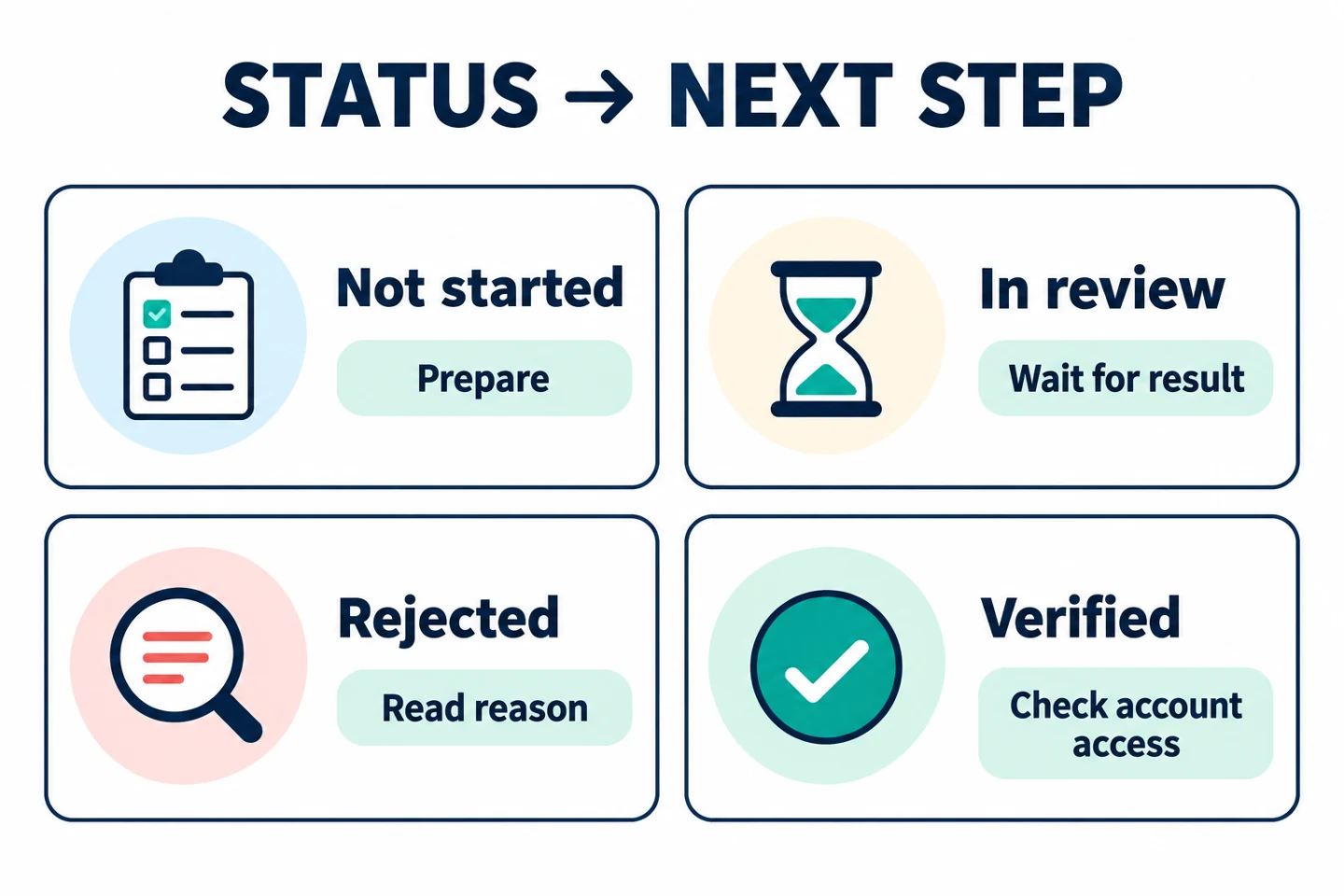
Choose your next steps based on your current verification status
The categories below are intended to help you understand the wording on your screen; they do not mean that every account displays four statuses with the same names or in the same order. The key is to distinguish pending review from rejection to avoid unnecessary duplicate submissions.
| Status to check on screen | Next step |
|---|---|
| Not started / documents requested | Check the accepted documents and requested items, then prepare your own documents. |
| Under review / processing | Check that your submission was received and check for notifications, then wait for the result. Repeated submissions are not guaranteed to speed up the review. |
| Rejected / further information required | Read the error message first and correct only the relevant item. Check with official support about identity, regional, or account restrictions. |
| Verification complete | Check the products, limits, and security status actually available to your account. This status does not mean all features are enabled or that your assets are safe. |
Already verified, but asked to verify information again?
KYC is not necessarily a once-only procedure. OKX may request a periodic information refresh or renewed documents. Check the actual items and deadline in Identity verification in the official app and follow the process supported for your account and region.
| Request observed | Appropriate action |
|---|---|
| Confirm existing information (Standard Refresh) | If the information is still correct, confirm what is requested. Do not restart the full ID and facial-verification process unless the screen asks you to. |
| Correct an actual name error or expired document | Update accurate details for the same verified person and provide the valid documents requested. Follow supported Legal name or Update controls; this is not a transfer to another person. |
| No edit option or change unavailable | Self-service changes may not be supported for the account or field. Ask official support; do not bypass restrictions with false information, duplicate accounts, or app reinstallation. |
AKEYX decision example: Both A and B are already verified. A has unchanged information and responds to the confirmation request; B has an expired ID and updates the requested document. This is an interpretation of official conditions, not an actual account test or an approval guarantee.
Partial review: 2026-11-01. The sources below were checked for name order and information-update conditions. This does not mean the entire KYC guide was reverified on that date. Verified-name changes (official update 2026-09-15) · Verified information and document updates (official update 2026-09-21)
Information to have ready before contacting customer support
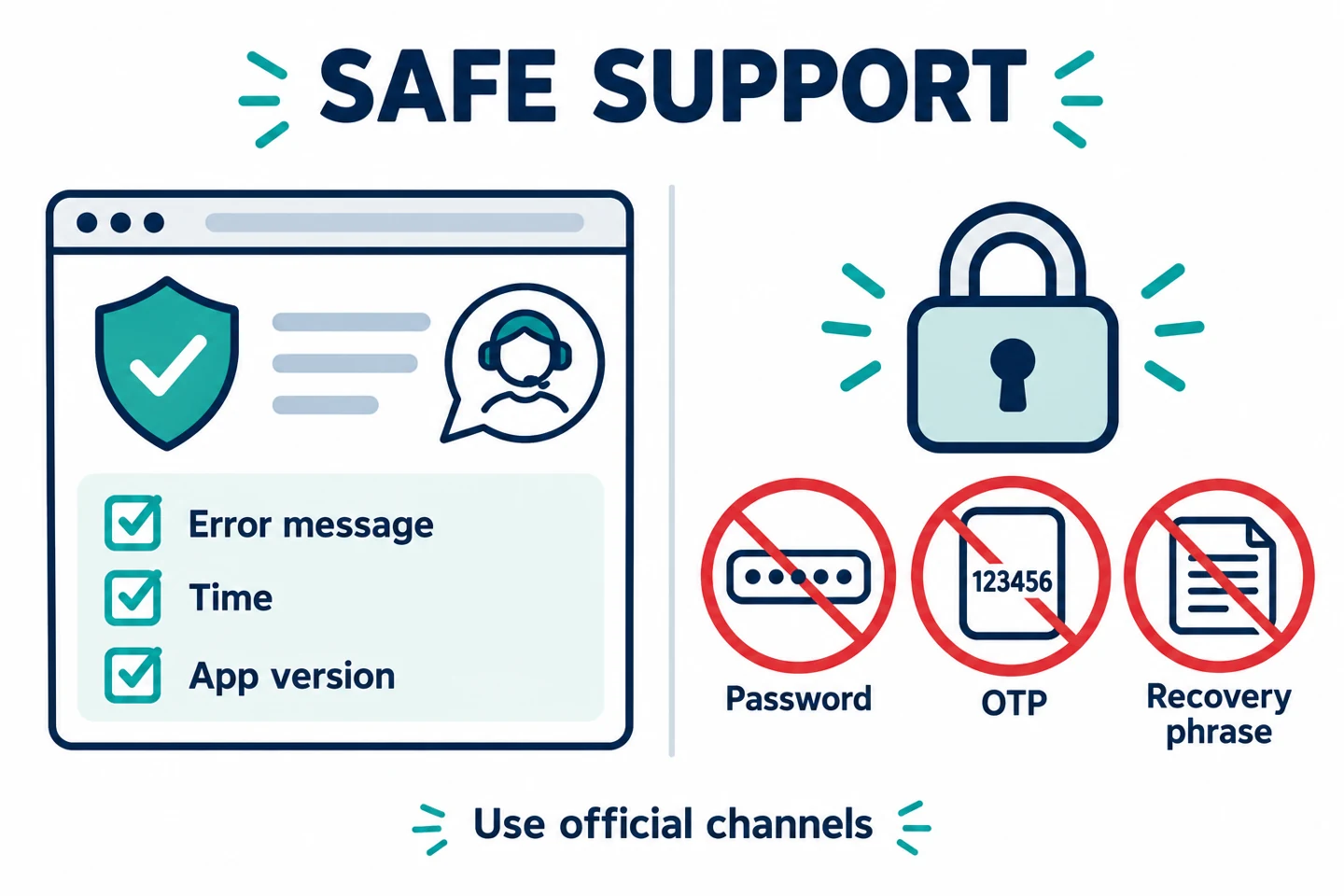
The account owner should start inquiries through the OKX official Support Center or OKX Assistant in the app. First, organize the error message, current status, time and time zone of occurrence, app version, and checks you have tried. This is an AKEYX checklist to make your inquiry clear; it does not guarantee approval or faster processing.
When attaching screenshots, make sure they do not show sensitive information unrelated to your inquiry, such as ID numbers, addresses, or balances. However, do not arbitrarily obscure or edit original documents submitted for identity verification; follow the submission format required by the official process. If official support requests additional identity documents, confirm the verified secure submission channel and the required scope before sending them. Do not send verification materials in public comments, to email impersonators, or through messaging apps.
If you cannot log in, check the OKX Assistant in the official Help Center for the Continue as Guest option and submit a support ticket using your registered email. The account owner—not a representative—must contact support directly. Source: Customer support guidance in the individual account verification FAQ, checked on 2026-10-18.
Security settings to enable immediately after KYC
- Set up a passkey or strong 2FA.
- Set up an anti-phishing code to identify official emails.
- Review the withdrawal address Allowlist and new-address lock.
- Remove any unfamiliar items from your login devices and sessions.
- Keep your registered email address and phone number up to date.
- For your first deposit or withdrawal, make a small test transaction according to the network, address, and Memo/Tag guide.
KYC verifies the account owner; it does not prevent asset loss or guarantee trading profits. Separately conduct OKX exchange security, PoR, and account security checks.
OKDCC Application and Its Relationship to KYC
The invitation code OKDCC is used to check whether the actual benefits have been applied on the new registration screen and, after registration, in My Rewards. Completing KYC does not automatically lock in a discount rate, nor does it guarantee that a code will be applied retroactively to an existing account. Refer to the OKDCC guide to checking application and the OKX comprehensive registration and KYC guide, and check the screens both before and after registration.
Final checklist before submission
- Is this the official OKX app or domain?
- Are your actual country of residence and account information correct?
- Is this a valid government-issued document accepted on the verification screen?
- Is this an original color photo showing all four corners and all information?
- Are the name, date of birth, and document number clear and consistent?
- Is there only one person in the selfie, with their face unobscured?
- Are there any issues with another account created using the same identity?
- Have you avoided sharing your seed phrase, password, or 2FA code with anyone?
Frequently asked questions
Which identity documents can I use for OKX KYC?
Government-issued documents such as passports, national identity cards, and driver's licenses are listed as examples, but accepted documents vary by country and account. Prioritize the list shown on the verification screen.
Can I photograph an existing ID photo or photocopy instead of the original?
No. OKX Official photo guidelines state that you must photograph the original ID in color, with all corners and information clearly visible. Files photographed from screenshots, other photos, or copies cannot be used.
Will KYC be approved within a few minutes?
Official guidance says automated processing may take about 30 seconds and additional review may take up to 24 hours, but it may take longer depending on application volume and requests for additional information.
Can I verify multiple OKX accounts using the same ID?
Official guidance identifies repeated use of the same identity information for duplicate verification as a cause of failure. If you have an issue with an existing account, do not create a new account; contact official support.
Can I use all products once KYC is complete?
No. Product availability and limits vary by region, legal entity, account status, and fee tier. Check the menus and terms actually shown in your logged-in account.
Official sources and review date
- OKX Individual account identity verification process
- Official ID and selfie photo guidelines
- KYC failure causes and solutions
- Identity verification processing time
- Guidance on checking limits after verification
KYC official materials checked on: 2026-10-18. The scope of this check covered the individual verification process, ID/selfie requirements, failure causes, processing times, checking limits, and official support channels in the five materials above. This is distinct from the publication or revision dates of those official documents and does not mean that Korean account eligibility, overall product policies, or rebate terms were comprehensively reverified. Accepted IDs, menus, processing times, limits, and service availability may change depending on the country, account, and official policies. Submit personal and verification materials only through the official OKX interface. This article is for informational purposes and is not legal or investment advice.